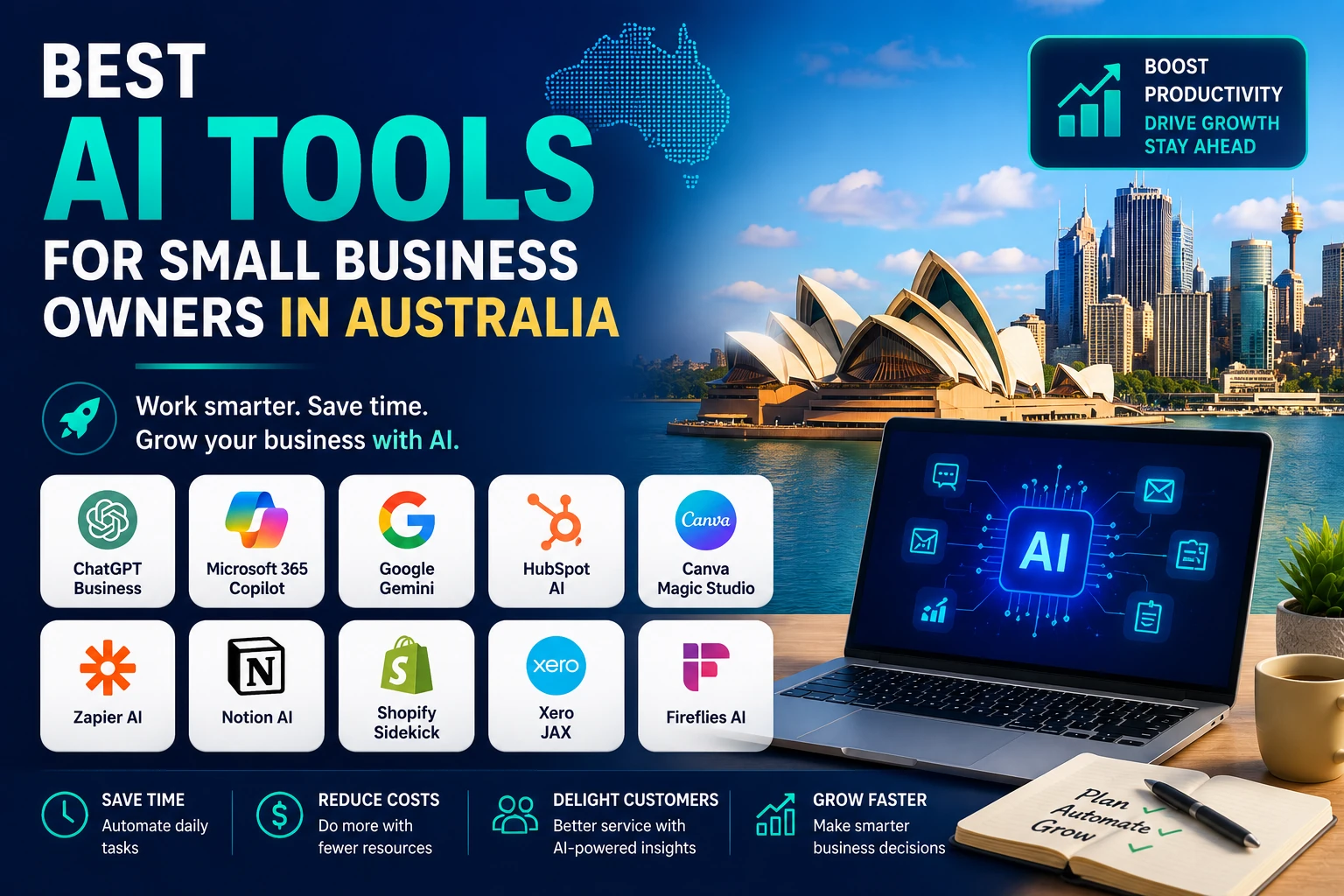
Artificial intelligence is no longer reserved for large companies with specialist teams. Australian small-business owners can now use affordable AI tools to draft customer emails, prepare proposals, create marketing assets, reconcile accounts, summarise meetings and connect everyday apps. The challenge is not finding an AI product. It is choosing a small set of tools that solves real work without creating new costs, privacy risks or process confusion.
The best AI tool depends on the job you want done. A consultant may need a flexible research and writing assistant. A retailer may get more value from an ecommerce copilot. A growing services firm may need CRM automation, meeting notes and financial visibility. This guide compares ten practical options available to Australian businesses and explains where each one earns its place.
| Quick answer: For most businesses, start with one general-purpose assistant, one system-specific AI tool and one automation layer. For example: ChatGPT Business or your existing Microsoft/Google AI assistant, plus Xero or Shopify AI, then Zapier only when a repeatable workflow is clear. |
How the tools were selected
This is not a list of every popular AI app. The tools were selected for their usefulness to owner-managed businesses, availability in Australia, ability to fit into common workflows and strength in a distinct category. The ranking also considers ease of adoption, integrations, business controls and the likelihood that the product can replace manual steps rather than merely generate more content.
Practical value: Does the tool remove a recurring task or improve a decision?
Fit with existing software: Is it useful inside tools the business already pays for?
Data controls: Are there business-grade privacy, security or administration options?
Learning curve: Can a small team get useful results without a technical implementation project?
Cost discipline: Can the business start small and measure value before expanding?
The best AI tools at a glance
| Tool | Best for | Core advantage | Best-fit user |
| ChatGPT Business | General business assistance | Flexible research, drafting, analysis and reusable workflows | Owners and mixed-function teams |
| Microsoft 365 Copilot | Microsoft-based work | AI inside Word, Excel, PowerPoint, Outlook and Teams | Microsoft 365 businesses |
| Google Workspace with Gemini | Google-based collaboration | AI across Gmail, Docs, Sheets, Drive and Meet | Google Workspace teams |
| Canva AI | Design and marketing assets | Fast, accessible visual and written content creation | Local brands and content teams |
| Xero JAX | Accounting and cash-flow work | AI grounded in Xero financial workflows | Xero users and bookkeepers |
| HubSpot Breeze | CRM, marketing and sales | AI agents connected to customer data and campaigns | Growth-focused service firms |
| Shopify Sidekick | Ecommerce operations | Store-aware assistance inside Shopify admin | Shopify merchants |
| Zapier | Workflow automation | Connects AI and business apps without heavy coding | Process-driven businesses |
| Notion AI | Knowledge and project operations | Search, meeting notes, agents and shared documentation | Small distributed teams |
| Fireflies.ai | Meetings and follow-up | Transcription, summaries, search and action capture | Sales and client-service teams |
The order reflects broad usefulness, not a universal winner. A specialised tool can be the better first purchase when it is connected to the system where your business already operates.
1. ChatGPT Business
Best overall AI assistant for mixed business tasks
ChatGPT Business is the strongest all-round starting point for owners who want one assistant that can move between marketing, operations, analysis and planning. It can help turn rough notes into a proposal, compare supplier options, analyse a spreadsheet, create a customer FAQ, draft a policy or build a reusable workflow for a repeated task.
Its advantage is breadth. Rather than being tied to one department, it can work across files, data and instructions. Business workspaces add administration, shared resources and stronger data controls than a collection of personal accounts. OpenAI states that business data is not used to train its models by default.
Practical ways to use it
Draft quotes, proposals, onboarding emails and customer-support responses.
Analyse exported sales, website or survey data and explain the findings in plain English.
Create reusable project instructions or custom workspace assistants for recurring work.
Research a market, prepare a meeting brief or turn notes into a structured action plan.
Best fit: Choose it when your team needs flexibility and you are willing to define clear review rules. It is especially useful for professional services, agencies, consultants and owner-operators who handle many different types of work.
Watch-out: Do not treat confident wording as proof of accuracy. Review legal, tax, employment, financial and technical outputs with the appropriate professional or source document.
Official source: OpenAI – ChatGPT Business
2. Microsoft 365 Copilot
Best for businesses already working in Microsoft 365
Microsoft 365 Copilot makes the most sense when Word, Excel, PowerPoint, Outlook and Teams already form the centre of the business. The value comes from reducing the jump between a standalone chatbot and the documents, emails, meetings and spreadsheets employees use every day.
A manager can ask for an email thread to be summarised, create a first presentation from a brief, analyse a workbook or extract actions from a Teams meeting. Eligible Microsoft 365 business users may also have access to Copilot Chat, while fuller work-grounded capabilities depend on the appropriate Copilot licence.
Practical ways to use it
Summarise long email threads and prepare replies in Outlook.
Turn a Word brief into a presentation outline and refine slides in PowerPoint.
Explore trends, formulas and scenarios in Excel with natural-language questions.
Capture decisions and follow-up actions from Teams meetings.
Best fit: Choose it when your staff already live in Microsoft 365 and the goal is to improve everyday productivity without introducing another separate workspace.
Watch-out: Licensing can become confusing when different staff need different levels of access. Start with a small group of high-frequency users and track where time is actually saved.
Official source: Microsoft – Microsoft 365 Copilot for Business
3. Google Workspace with Gemini
Best for businesses built around Gmail, Docs, Sheets and Meet
Google Workspace with Gemini is the natural choice for businesses that organise work in Gmail, Drive, Docs, Sheets and Meet. AI is available in the flow of those tools, which can make adoption easier than asking staff to copy information into a separate assistant.
Google lists built-in assistance across core Workspace apps, as well as the Gemini app, NotebookLM and AI-supported meeting and workflow features on eligible plans. Its Australian business pages also state that company data is not used for model training or advertising in the covered Workspace environment.
Practical ways to use it
Draft and summarise emails in Gmail and documents in Docs.
Create tables, formulas, charts and insights in Sheets.
Search and synthesise information from approved files using Gemini or NotebookLM.
Capture notes from Meet and automate repeatable work across Workspace apps.
Best fit: Choose it when collaboration already happens in Google Workspace, especially for remote teams, creative businesses and small companies that want email, documents and AI under one account structure.
Watch-out: Features and usage limits vary by Workspace edition. Match the plan to the small number of workflows that matter rather than paying for capabilities the team will not use.
Official source: Google Workspace – AI tools for business
4. Canva AI
Best for fast marketing design and brand content
Canva AI is one of the easiest tools for a small business to put into productive use quickly. It combines design templates with AI-assisted writing, image generation, editing and brand features, so a business can move from an idea to a usable social post, flyer, presentation or short video without a specialist design team.
The platform is particularly strong for businesses that publish frequently but do not need the complexity of professional creative software. It can help generate first concepts, resize assets for different channels and keep visual work closer to an approved brand system.
Practical ways to use it
Create social media graphics, promotional flyers, menus and simple presentations.
Turn a campaign idea into several visual directions before refining one manually.
Repurpose a core asset into multiple formats for email, social and print.
Draft captions, headlines and basic marketing copy alongside the design.
Best fit: Choose it when visual consistency and speed matter more than advanced production control. It is a strong fit for retailers, hospitality businesses, trades, coaches, events and local service providers.
Watch-out: AI-generated designs can look generic when the prompt and brand inputs are generic. Build a small approved template system and require a human check for facts, spelling, accessibility and brand consistency.
Official source: Canva – Canva AI
5. Xero JAX
Best AI tool for Xero accounting and financial admin
For Australian businesses already using Xero, JAX is more relevant than a generic chatbot because it is designed around financial and accounting workflows. Xero describes JAX as an AI finance partner that can provide conversational insights and assist with tasks such as invoices, quotes, cash-flow questions and routine accounting work.
The key benefit is context. Instead of asking an AI tool to interpret an exported spreadsheet, the owner can work closer to live business records and established accounting processes. Xero also positions its Australian AI features around bank reconciliation, transaction categorisation, GST and BAS readiness.
Practical ways to use it
Ask plain-English questions about cash flow and financial performance.
Create or prepare invoices and quotes with less manual administration.
Reduce repetitive reconciliation and transaction-categorisation work.
Keep financial records more current before BAS and tax-time review.
Best fit: Choose it when Xero is already your accounting system and financial admin is a clear bottleneck. The value will usually be higher than adding an unrelated finance chatbot.
Watch-out: AI can speed up bookkeeping, but it does not replace professional accounting judgement. Keep review controls in place and use your accountant or bookkeeper for tax treatment, compliance and material decisions.
Official source: Xero Australia – JAX
6. HubSpot Breeze
Best for CRM, lead management and customer-facing growth
HubSpot Breeze is a strong option for a small business that wants AI connected to its customer data rather than operating as a separate writing tool. HubSpot combines CRM, marketing, sales and service functions, with Breeze assistants and agents embedded across the platform.
This matters when the business needs more than content generation. AI can help prioritise prospects, prepare outreach, analyse customer information, create campaign assets and resolve routine service enquiries. Because the work is connected to CRM records, it can support a more consistent customer journey.
Practical ways to use it
Research prospects and prepare personalised sales outreach.
Generate or adapt campaign content using brand and customer context.
Summarise CRM records and surface useful information for a sales call.
Handle routine customer questions and route complex cases to a person.
Best fit: Choose it when the business has a repeatable sales or customer-service process and needs one platform to organise contacts, campaigns and follow-up.
Watch-out: Costs can rise as contacts, seats and advanced features expand. Define the CRM process first; AI will not fix duplicated data, weak handovers or unclear ownership by itself.
Official source: HubSpot – Agentic customer platform and Breeze
7. Shopify Sidekick
Best for Shopify ecommerce owners
Shopify Sidekick is built for merchants who want assistance inside the store admin. Unlike a general chatbot, it can work with the context of the Shopify store and understand commerce workflows, helping owners get guidance, generate content and complete supported tasks using everyday language.
Shopify states that Sidekick respects staff permissions and presents changes for review before applying them. This store-aware context makes it useful for owners who need help with merchandising, product content, store design and day-to-day administration without constantly explaining how the business is configured.
Practical ways to use it
Draft and improve product descriptions, collection copy and promotional content.
Ask questions about store operations, performance or Shopify features.
Prepare changes to store design or administrative settings for review.
Create or improve product imagery and ecommerce assets with Shopify Magic features.
Best fit: Choose it when Shopify is the operating centre of the business. For an ecommerce merchant, a store-aware assistant can produce more practical value than another standalone content generator.
Watch-out: Review product facts, prices, claims, policies and technical changes before publishing. AI-generated merchandising should support a clear brand and conversion strategy, not replace one.
Official source: Shopify Australia – Sidekick
8. Zapier
Best for connecting apps and automating repeatable workflows
Zapier becomes valuable after a business has identified a repeated handoff between tools. It connects thousands of apps and supports AI-powered workflows, agents, forms, tables and chatbots. The practical result is that information can move without someone copying it from one system to another every day.
A small business can use Zapier to capture a web enquiry, enrich the record, create a CRM contact, notify the right person, draft a response and log the outcome. Its strength is not a single AI model; it is orchestration across the apps already used by the business.
Practical ways to use it
Route enquiries from forms or advertising platforms into a CRM and task list.
Create follow-up actions after meetings, purchases or support requests.
Classify incoming emails or documents and send information to the correct workflow.
Build a simple AI assistant or chatbot connected to approved business data and actions.
Best fit: Choose it when the same multi-app process occurs several times each week and the rules are stable enough to automate.
Watch-out: Automating a broken process makes errors travel faster. Map the workflow, test edge cases and assign an owner to monitor failures, permissions and task usage.
Official source: Zapier – AI workflows, agents and app automation
9. Notion AI
Best for a shared knowledge base and lightweight operations hub
Notion AI suits small teams that need one place for procedures, project notes, meeting records, plans and internal knowledge. Its AI features can search connected information, draft reports, take meeting notes and support agents that handle repeatable work inside the team workspace.
The value increases when business knowledge is scattered across people and documents. A well-organised Notion workspace can make policies, client context, project updates and standard operating procedures easier to find and maintain.
Practical ways to use it
Build and search a central knowledge base for procedures, services and clients.
Create project summaries, weekly reports and action lists from workspace data.
Capture meeting notes and connect decisions to projects and tasks.
Use agents for recurring reporting, routing or internal question-answering.
Best fit: Choose it when the business needs better documentation and lightweight project coordination, especially across a remote or hybrid team.
Watch-out: AI search is only as useful as the underlying workspace. Agree on page owners, naming, permissions and archiving before treating Notion as a reliable source of truth.
Official source: Notion – AI workspace
10. Fireflies.ai
Best for meeting notes, searchable conversations and follow-up
Fireflies.ai is useful for businesses that spend significant time in sales calls, client meetings, interviews or internal coordination. It can transcribe, summarise, search and analyse conversations, helping teams capture decisions and actions without relying on rushed handwritten notes.
The productivity gain comes after the meeting. A transcript can be searched, a summary can be shared and action items can be moved into the CRM or project system. This reduces the common gap between a productive conversation and inconsistent follow-through.
Practical ways to use it
Create searchable transcripts and concise summaries of approved meetings.
Capture action items, questions, objections and decisions from client calls.
Review themes across multiple conversations for sales or service improvement.
Send notes and follow-up information into CRM and collaboration tools.
Best fit: Choose it when meetings generate revenue or operational decisions and the business needs a consistent record and follow-up process.
Watch-out: Recording and transcription involve privacy, confidentiality and consent considerations. Tell participants, configure retention carefully and avoid recording sensitive conversations without an approved process.
Official source: Fireflies.ai – AI meeting assistant
Which AI stack should an Australian small business choose?
Most small businesses should not subscribe to all ten tools. Overlapping assistants create duplicated costs, inconsistent data and staff confusion. Start with the system that already contains the work, then add a general assistant or automation layer only when it solves a separate need.
| Business type | Suggested starter stack | Why it works |
| Solo consultant or coach | ChatGPT Business or a suitable paid assistant + Canva AI + Xero JAX | Covers proposals, research, marketing assets and financial admin without a heavy systems project. |
| Local service or trade business | Microsoft 365 Copilot or Google Workspace with Gemini + Xero JAX + Zapier | Keeps admin in familiar office tools and automates lead-to-job handoffs. |
| Shopify ecommerce store | Shopify Sidekick + Canva AI + ChatGPT Business + Zapier | Combines store-aware operations, creative production, broader analysis and cross-app automation. |
| Professional services team | Microsoft 365 Copilot or Google Workspace with Gemini + Fireflies + Notion AI | Improves documents, meetings, shared knowledge and client follow-up. |
| Sales-led growing business | HubSpot Breeze + Fireflies + Zapier + a general-purpose assistant | Connects lead generation, conversations, CRM actions and follow-up workflows. |
How to choose an AI tool without wasting money
Start with a measurable bottleneck. Write down the task, how often it occurs, who performs it and what a good result looks like.
Check whether AI is already included in software you pay for. Microsoft 365, Google Workspace, Xero, Shopify, HubSpot and Canva all embed AI in existing workflows.
Run one controlled pilot. Use a real but low-risk process for two to four weeks, with a named owner and a review checklist.
Measure outcomes, not prompts. Track time saved, response speed, conversion rate, rework, error rate or cash collected—not how often the AI was opened.
Remove overlapping tools. If two subscriptions solve the same job, keep the one that fits your systems and governance better.
Document an approved-use policy. Staff should know which data can be entered, which outputs require review and who is accountable.
Australian privacy and cyber-security considerations
AI adoption does not remove existing responsibilities. The Office of the Australian Information Commissioner provides guidance for organisations using commercially available AI products and states that privacy obligations apply when personal information is involved. The Australian Signals Directorate’s Australian Cyber Security Centre also warns small businesses about risks including data leaks, unreliable or manipulated outputs and supply-chain vulnerabilities.
| A simple minimum-control policy: Use approved business accounts, enable multi-factor authentication, limit access by role, avoid entering unnecessary personal or confidential information, review outputs before use, document important decisions and remove access immediately when a staff member leaves. |
Do not paste customer lists, health information, identification documents, passwords, bank details or confidential contracts into an unapproved AI service.
Prefer business plans with administration, security and data-handling controls over unmanaged personal accounts for team use.
Tell clients and meeting participants when AI recording, transcription or automated decision support is being used where appropriate.
Keep a person accountable for customer communications, financial work, employment decisions and published claims.
Check data location, retention, subprocessors, export options and deletion processes before connecting a tool to core systems.
Australian guidance: OAIC guidance on commercially available AI products | ACSC artificial intelligence guidance for small business
A practical 30-day AI implementation plan
The fastest way to waste money on AI is to buy several subscriptions and ask staff to “find use cases”. A better approach is to redesign one workflow at a time.
Week 1: Select the workflow
Choose a repeated task with clear inputs and an easy-to-review output.
Record the current time, cost, error rate and handoffs.
Identify any personal, financial or confidential data involved.
Week 2: Configure and test
Set up the approved account, access controls and a small prompt or process template.
Test normal cases and edge cases with non-sensitive or de-identified data where possible.
Create a short review checklist and escalation rule.
Week 3: Run a live pilot
Use the workflow on a limited set of real tasks.
Track time saved, corrections required and staff or customer feedback.
Stop the pilot if quality or privacy controls are not working.
Week 4: Standardise or stop
Keep the workflow only when the benefit is repeatable and measurable.
Document ownership, instructions, approved data and review requirements.
Cancel or downgrade the tool when the value does not justify the cost.
Frequently asked questions
What is the best AI tool for a small business in Australia?
There is no single winner for every business. ChatGPT Business is a strong general-purpose option, while Microsoft 365 Copilot or Google Workspace with Gemini may be better when your work already sits in those ecosystems. Xero JAX is the more relevant choice for Xero-based financial admin, and Shopify Sidekick is the better fit for Shopify ecommerce operations.
Are free AI tools suitable for business use?
Free plans are useful for learning and low-risk experiments, but they may have lower limits, fewer administration controls and different data-handling settings. For team use or confidential work, compare the business plan, privacy terms, access controls and retention settings before adoption.
Which AI tool is best for accounting in Australia?
For a business already using Xero, JAX is the most directly relevant option in this list because it is designed around Xero workflows and Australian accounting tasks. It should support—not replace—review by a qualified accountant or bookkeeper.
Which AI tool is best for marketing?
Canva AI is excellent for quick visual content. HubSpot Breeze is stronger when marketing needs to connect with CRM data, lead management and campaigns. A general-purpose assistant can help with strategy, research and drafting, but human review is essential for brand voice and factual claims.
Can AI replace employees in a small business?
AI is usually most valuable as a force multiplier for staff rather than a full replacement. It can reduce repetitive drafting, searching, administration and handoffs, while people remain responsible for relationships, judgement, exceptions and quality control.
How much should a small business spend on AI tools?
Begin with the smallest plan that supports one measurable workflow. Compare the monthly subscription with the time saved, errors avoided, revenue accelerated or customer response improved. Avoid buying several overlapping assistants before one tool has proven value.
Do Australian privacy laws apply when using AI?
Australian privacy obligations can apply when personal information is collected, used or disclosed through AI systems. The exact obligations depend on the organisation and use case, so businesses should review OAIC guidance and obtain professional advice when the risk is material.
What should a business never enter into a public AI chatbot?
Avoid entering passwords, security keys, unnecessary personal information, identity documents, bank details, confidential client material, protected health information or commercially sensitive data unless the tool and use have been formally approved for that information.
Final recommendation
The best AI strategy for an Australian small business is not to collect the most tools. It is to choose the smallest useful stack and connect it to work that already matters. Start with the ecosystem you use every day, select one high-frequency workflow, protect customer and business data, and measure the result. Once the first workflow is reliable, the next investment decision becomes much easier.
For many owners, the practical starting point will be a general assistant plus a system-specific tool: ChatGPT Business with Xero JAX, Microsoft 365 Copilot with Fireflies, Google Workspace with Gemini and Canva AI, or Shopify Sidekick with Zapier. The right combination is the one your team can govern, review and use consistently.
Leave a Reply