Practical SEO Guide
On-Page SEO Checklist: 18 Steps to Optimize Any Page
A repeatable process for making every important page clearer to readers, easier for search engines to understand and more useful to AI-powered answer systems.
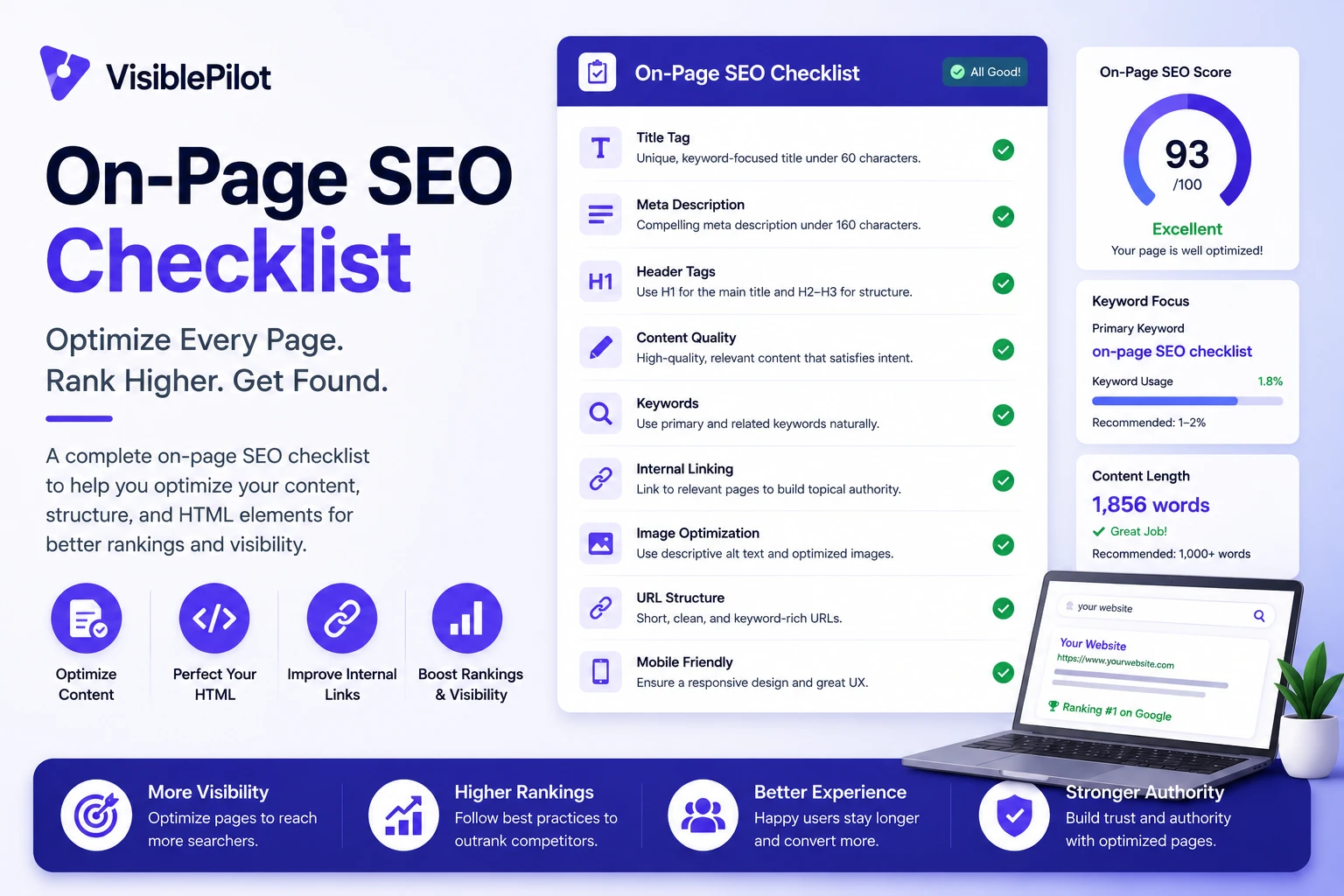
On-page SEO is the work you do directly on a webpage to improve its relevance, usefulness, structure and search appearance. It includes the visible content, headings, links and media as well as less visible elements such as the title tag, meta description, canonical URL and structured data.
A page can be technically accessible and still underperform because its purpose is vague, its information is incomplete or its internal links do not help people move to the next useful resource. The checklist below helps you review those issues in a sensible order.
What is on-page SEO?
On-page SEO is the process of improving an individual webpage so its topic, value and relationships are easy for users and search systems to understand. It covers search intent, page titles, headings, content depth, internal links, images, structured data, user experience and conversion paths.
Before You Start: Confirm the Page Can Be Indexed
Do not spend hours refining copy before confirming the page is technically eligible to appear in search. Check that it returns a successful status code, is not blocked by robots rules, does not contain an accidental noindex directive and points to the intended canonical URL.
For a broader crawlability and indexing review, work through the complete technical SEO checklist. If the page has no contextual links pointing to it, use the guide to finding and fixing orphan pages.
The 18-Step On-Page SEO Checklist
1. Define one clear search intent
Decide what the searcher is trying to accomplish. They may want an explanation, instructions, a comparison, a product, a service provider or a specific website. A page becomes unfocused when it tries to satisfy several unrelated intentions at once.
Review the current results for the target query and note the dominant page type, common subtopics and level of detail. Use that information to understand expectations—not to copy competing pages.
2. Choose a primary topic and supporting terms
Select one primary phrase that accurately describes the page. Then collect closely related questions, entities, attributes and terminology that a thorough answer naturally requires. This creates topical depth without repeating the same exact keyword.
3. Write a concise, descriptive SEO title
The title should tell a searcher what the page contains and why it is relevant. Put the main topic early when that reads naturally. Avoid vague labels, exaggerated promises and unnecessary repetition.
Google can generate title links from several page signals, including the title element, visible headings and anchor text. Its official guidance recommends unique, descriptive and concise titles. Review Google’s title-link guidance.
4. Create a useful meta description
Summarize the page in one or two natural sentences. Mention the problem solved, the scope of the answer and a meaningful differentiator. Do not stuff the description with keyword variants.
A meta description is a suggestion rather than a guarantee; Google may generate a different snippet from the page when that better matches a query. See Google’s snippet documentation.
5. Use one clear H1
The main heading should immediately confirm that the visitor reached the right page. It can be similar to the SEO title, but it does not need to be identical. Prioritize clarity over cleverness.
6. Organize the answer with descriptive subheadings
Use H2 headings for major sections and H3 headings for logical subsections. A good heading structure lets readers scan the page, helps assistive technologies interpret it and makes individual passages easier to retrieve and cite.
7. Answer the main question early
Do not force readers through a long introduction before giving them useful information. State the core answer near the beginning, then provide evidence, explanation, steps and exceptions below it.
8. Cover the topic completely—but remove filler
Useful depth is not the same as word count. Include the information needed to complete the reader’s task: definitions, steps, examples, limitations, decisions and next actions. Remove paragraphs that merely restate the heading or repeat advice already given.
9. Add original value
Give readers something they cannot get from a generic summary. Depending on the page, that may be first-hand experience, original data, screenshots, tested examples, templates, calculations, expert commentary or a clearer decision framework.
10. Demonstrate trust and accountability
Identify who created or reviewed the content when authorship matters. Cite primary sources for factual claims. State assumptions and limitations. Keep dates, prices, regulations and product details current. Trust grows when readers can distinguish evidence from opinion.
11. Add contextual internal links
Link to related pages where they help the reader understand a concept or continue a task. Use concise anchor text that describes the destination. Internal links help users navigate and give search engines clearer information about page relationships.
For example, a page about ecommerce visibility can naturally direct readers to the troubleshooting guide on why a Shopify store is not showing on Google. A page about AI discoverability can link to the practical guide on earning citations in AI search results.
Google recommends linking important pages from other relevant pages and using anchor text that helps users and Google understand the destination. Read Google’s link best practices.
12. Link externally when a source strengthens the page
External links can support a claim, direct readers to official documentation or show where data originated. Prefer primary sources. Do not add links merely to make a page look researched.
On this article, external references are marked nofollow as requested. For general publishing, choose link attributes according to the relationship: Google recommends sponsored for paid placements, ugc for user-generated links and nofollow when the other values do not apply and you do not want Google to associate your site with the destination. See the official outbound-link guidance.
13. Optimize images for meaning and performance
Use images that explain, demonstrate or prove something. Compress them, serve appropriate dimensions and use modern formats where practical. Write concise alt text that communicates the image’s purpose to someone who cannot see it. Decorative images can use empty alt text.
14. Use a short, stable URL
Create a readable slug that reflects the page topic. Avoid unnecessary dates, tracking parameters, long category paths and filler words. Once a useful URL earns links and rankings, change it only for a strong reason and redirect the old address properly.
15. Add structured data only when it matches visible content
Structured data can help search systems interpret specific page information and may make a page eligible for supported search features. Use the most specific applicable type, follow required properties and ensure the markup represents content users can actually see.
Do not add irrelevant schema or fabricate reviews. Google notes that structured data can provide explicit clues about page meaning and enable eligible rich-result experiences. Explore Google’s search appearance documentation.
16. Improve mobile readability and page experience
Check the page on a real phone. Use readable text, comfortable spacing, clear tap targets and predictable navigation. Avoid intrusive overlays that hide the answer. Compress heavy assets and remove scripts that do not deliver meaningful value.
17. Give the reader a logical next step
Every important page should help the visitor continue. That may mean reading a related guide, comparing options, checking availability, requesting a quote, starting a trial or completing a purchase. Match the next step to the page’s intent instead of forcing the same call to action everywhere.
18. Measure, refresh and improve
After publication, monitor impressions, clicks, average position, engagement, conversions and the queries that bring visitors to the page. Look for mismatches: strong impressions with weak clicks may indicate a title or intent problem, while traffic without conversions may indicate the page does not support the next decision.
Quick On-Page SEO Review
- The page satisfies one clear search intent.
- The title, H1 and introduction accurately describe the content.
- The answer is complete, original and free from filler.
- Claims have appropriate evidence and sources.
- Internal links guide readers to genuinely useful related pages.
- Images, mobile layout and page speed support the experience.
- The page has a clear next step and a measurement plan.
On-Page SEO for AI Search Visibility
Many of the same improvements that help traditional search also make content easier for AI systems to retrieve and cite: direct answers, descriptive headings, clear entities, supporting evidence and self-contained passages.
However, AI visibility is not achieved by adding awkward phrases for chatbots. Build a page that a person can understand, verify and quote. Then strengthen the wider signals that help systems recognize your brand and content. The guides to generative engine optimization strategies and why ChatGPT may not mention a brand explain those broader considerations.
Common On-Page SEO Mistakes
- Keyword stuffing: repeating a target phrase until the writing becomes unnatural.
- Copying the current results: producing another version of what already exists without adding value.
- Writing for a word-count target: adding filler instead of resolving the searcher’s task.
- Using generic internal anchors: relying on repeated “click here” links rather than descriptive context.
- Adding unsupported schema: marking up information that is absent, misleading or ineligible.
- Ignoring technical eligibility: optimizing a page that is blocked, duplicated or canonicalized elsewhere.
Frequently Asked Questions
How many keywords should one page target?
Focus on one coherent topic rather than a fixed number of keywords. A strong page can naturally answer many related searches when those searches share the same intent.
Does every page need a long article?
No. The appropriate length depends on the task. A product page, local service page, calculator and detailed guide require different amounts and types of information.
How many internal links should a page have?
There is no universal ideal count. Add links that are useful in context, make important pages discoverable and avoid overwhelming the reader with repeated or irrelevant destinations.
Should every external link be nofollow?
Not as a universal rule. Link attributes should reflect the relationship. This article uses nofollow on external links because that was the publishing requirement for this post.
Final Takeaway
Effective on-page SEO is not a collection of tricks. It is the discipline of making each page technically accessible, unmistakably relevant, genuinely useful and logically connected to the rest of the website.
Start with the pages that already receive impressions or support important business outcomes. Apply the checklist, record the change and measure what improves. Visible Pilot is being built to help website owners identify, prioritize and safely complete this kind of SEO and AI-visibility work across their websites while keeping changes reviewable and reversible.
Leave a Reply