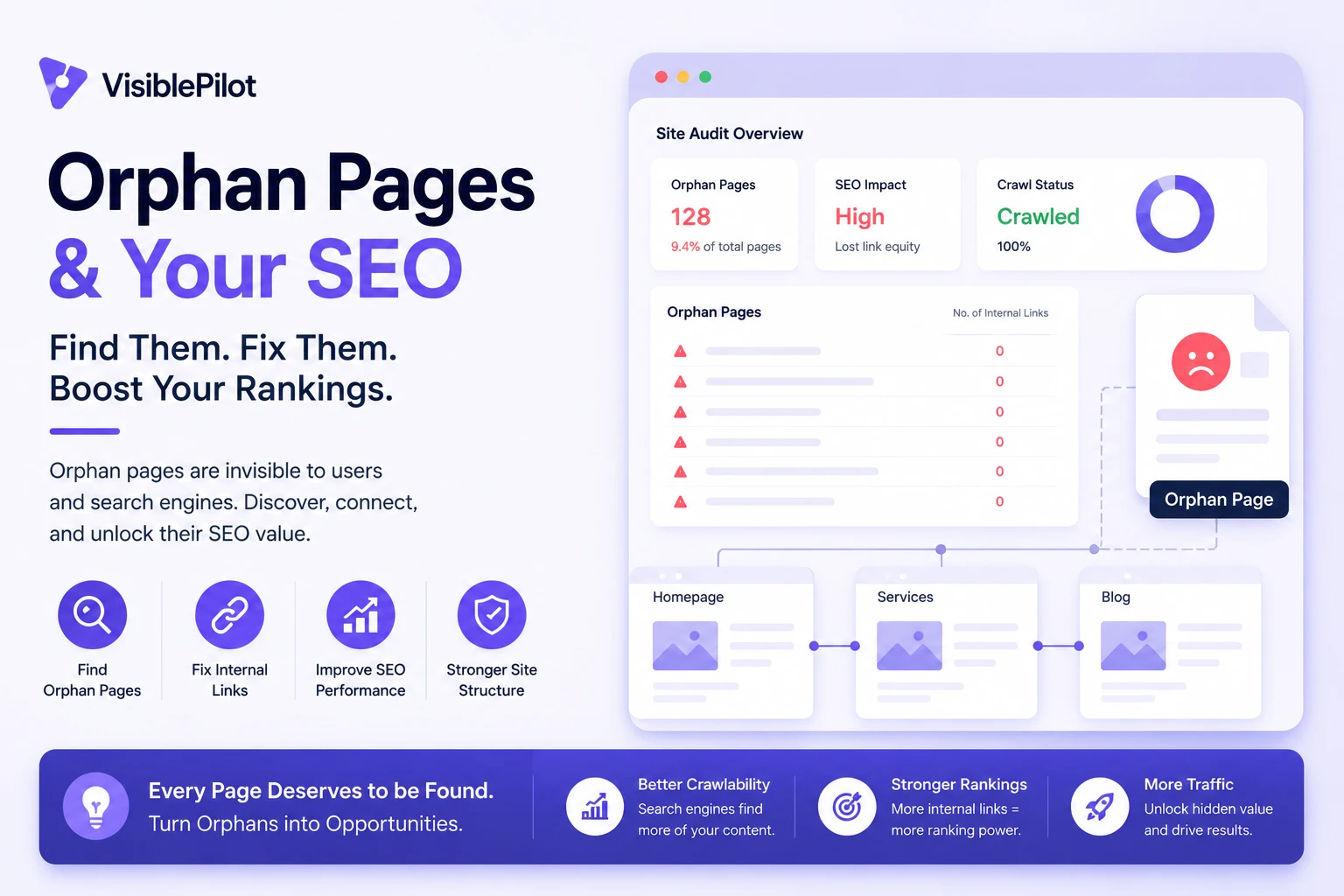
Some of the most useful pages on a website receive little or no organic traffic for a simple reason: search engines and visitors have no clear path to reach them.
These are often called orphan pages. A page may be live, included in a sitemap and even indexed, yet still be disconnected from the website’s normal internal linking structure. When that happens, search engines receive fewer signals about the page’s context, importance and relationship to the rest of the site.
In simple terms: an orphan page exists, but it is not properly connected to the rest of your website. Fixing it means deciding whether the page should be linked, updated, consolidated, redirected or removed.
What is an orphan page?
An orphan page is a URL that exists on your website but has no useful internal links pointing to it from other crawlable pages on the same site.
Imagine a plumbing company publishes a detailed page about emergency hot-water repairs. The page is accessible through its direct URL, but it is not linked from the services page, navigation, homepage, blog or any relevant article. The page exists, but it is structurally isolated.
An orphan page is not necessarily:
- A broken page: it may load normally and return a 200 status code.
- An unindexed page: it may already be indexed through a sitemap, backlink or previous internal link.
- A deep page: a page can require several clicks to reach and still not be orphaned.
- A noindex page: an intentionally excluded page can still receive internal links.
The defining problem is the absence of a meaningful internal path to the page.
Why orphan pages matter for SEO
Search engines may have difficulty discovering them
Search engines discover many URLs by following links from pages they already know. XML sitemaps help with discovery, but they do not replace a logical internal linking structure. An important page that relies only on a sitemap is missing one of the clearest discovery paths available.
The page receives fewer importance signals
Internal links help communicate which pages matter and how topics are connected. A product linked from a collection page, buying guide and related-product section sends a clearer structural signal than a product that appears nowhere except the XML sitemap.
Search engines receive less topical context
Internal anchor text and the copy surrounding a link help explain what the destination page covers. A contextual link such as “technical SEO audit checklist” communicates more than a generic “click here” link. Without incoming links, search engines lose some of those contextual clues.
Visitors are less likely to find the page
SEO problems often overlap with usability problems. If visitors cannot reach an important page through normal navigation or related content, they may never discover the service, product, guide or comparison it contains.
- Product discovery can fall.
- Lead-generating pages receive fewer visits.
- Useful content produces less engagement.
- Older content delivers a lower return on production effort.
Orphan pages can also weaken AI search visibility
There is no special AI-search markup that repairs weak website architecture. Established SEO fundamentals still matter: pages need to be crawlable, understandable and connected to related information. Clear internal linking helps demonstrate that a website contains a coherent body of knowledge rather than a collection of disconnected URLs.
Important: adding internal links does not guarantee rankings. It makes a useful page easier to discover, easier to understand and better integrated into the website.
How orphan pages are created
Most orphan pages are not created intentionally. They usually appear after normal website changes.
Website redesigns
A new navigation or template may omit older service, category or resource pages while leaving their URLs live.
Campaign landing pages
Advertising pages can remain accessible after a campaign ends, even though nothing on the website links to them.
Product changes
An ecommerce product may be removed from every collection while remaining available through its direct URL.
Publishing errors
A writer may publish an article without adding it to a hub page or linking to it from related content.
Archive changes
Removing a category, hiding a tag archive or changing pagination can disconnect older posts.
JavaScript navigation
Some interfaces expose pages through buttons or scripts without creating standard crawlable links.
How to find orphan pages
No single data source is enough. The most reliable approach compares URLs found by a website crawl with URLs known to other systems.
Step 1: Crawl the website
Start from the homepage and allow your crawler to follow internal links. The resulting list represents pages that can currently be reached through the site’s link structure.
Step 2: Export URLs from additional sources
- XML sitemaps
- Google Search Console performance reports
- Google Search Console indexing reports
- Analytics landing pages
- CMS exports
- Server logs
- Backlink tools
- Advertising and email landing-page lists
Step 3: Normalize the URLs
Standardize HTTP and HTTPS, www and non-www, trailing slashes, uppercase paths, tracking parameters and fragment identifiers. Otherwise, the same page may appear several times.
Step 4: Compare the lists
A potential orphan page appears in one or more external data sources but not in the internal crawl. For example, a service page may appear in the sitemap and Search Console but remain absent from the crawl.
| URL type | Crawl result | Other evidence | Likely action |
|---|---|---|---|
| Important service page | Not found | Traffic or impressions | Update and add links |
| Old campaign page | Not found | No traffic or links | Remove or redirect |
| Active product | Not found | Present in sitemap | Add to a relevant collection |
Step 5: Verify every candidate
- Does the URL return a 200 status?
- Is it canonicalized elsewhere?
- Is it intentionally noindexed?
- Does it contain useful, current content?
- Does it receive traffic, conversions or backlinks?
- Is there a crawlable link the audit missed?
Decide what to do with each page
Finding an orphan page does not automatically mean you should add links to it. First decide whether the URL deserves to remain part of the website.
| Page condition | Recommended action |
|---|---|
| Useful, unique and strategically important | Add relevant internal links and place it within the correct hierarchy. |
| Useful but outdated | Update it before adding new links. |
| Overlaps with a stronger page | Consolidate useful content and redirect the weaker URL. |
| Obsolete but has traffic or backlinks | Redirect it to the closest relevant replacement. |
| Obsolete with no replacement | Remove it with an appropriate 404 or 410 response. |
| Required for users but not search | Keep it accessible and consider noindex based on its purpose. |
How to fix orphan pages
Add contextual internal links
The strongest fix for an important page is usually a relevant link from another useful page. Suitable sources include service hubs, product collections, topic guides, related articles, comparison pages, breadcrumbs and related-content modules.
Use descriptive anchor text
Anchor text should set a clear expectation. “Learn how to fix orphan pages” is more useful than “read more.” Use natural variations instead of forcing the same exact keyword into every link.
Place the page inside a logical hierarchy
Service website:
Homepage → Services → Commercial Services → Office Cleaning
Ecommerce store:
Homepage → Furniture → Office Furniture → Desks → Product
Repair template-level problems
If hundreds of products or posts become orphaned, the issue is unlikely to be solved one page at a time. Review the theme or CMS logic responsible for archive listings, collection rules, pagination, breadcrumbs and related-content blocks.
Redirect or remove pages that should not remain
Do not add links merely to preserve an obsolete URL. Consolidate relevant information and redirect to the closest suitable replacement. Avoid sending every removed page to the homepage, because that rarely satisfies the original intent.
WordPress, Shopify, Wix and WooCommerce examples
WordPress
WordPress orphan pages commonly result from uncategorized posts, removed menu links, page-builder templates, deleted archive pages or articles published without related links.
- Assign each post to a meaningful category.
- Link cornerstone guides to supporting articles.
- Confirm custom post types appear in archives.
- Check that page-builder buttons use real URLs.
- Review whether tag archives add genuine value.
Shopify
Shopify products can become orphaned when they are removed from every collection but remain active. Seasonal collections can also become disconnected when promotional navigation is removed.
- Find active products that are not assigned to a collection.
- Review automated collection rules.
- Check products accessible only through search or direct URLs.
- Review expired campaign collections.
- Confirm breadcrumbs and related-product links work correctly.
WooCommerce
WooCommerce combines WordPress content issues with ecommerce taxonomy issues. Products may be excluded from categories, hidden by catalogue settings or disconnected after a theme change. Check product categories, attribute archives, related products, breadcrumbs and paginated shop pages.
Wix
Wix pages may become isolated when they are hidden from menus and no contextual links are added elsewhere. Dynamic pages and CMS collections should also be checked to confirm that every important item has a crawlable route.
Best practices for preventing orphan pages
- Use a publishing checklist: identify the parent hub, incoming links, outgoing links and intended search intent before publication.
- Build topic clusters deliberately: connect supporting articles to a central guide and to closely related pages.
- Audit after major changes: run a new crawl after redesigns, migrations, navigation updates and large product imports.
- Review new URLs regularly: compare recently published CMS URLs against the crawl.
- Keep sitemaps accurate: include canonical URLs you genuinely want search engines to consider.
- Assign ownership: make one person or process responsible for confirming that newly published pages are properly integrated.
A simple publishing rule
Every important new page should receive at least one relevant incoming internal link before or immediately after it is published.
Common orphan-page mistakes
- Treating every candidate as a problem: some account, checkout and campaign URLs are intentionally outside normal navigation.
- Linking from irrelevant pages: internal links should help users, not merely satisfy an audit score.
- Keeping weak pages alive: an orphan-page report is not a reason to preserve thin or obsolete content.
- Relying only on the sitemap: sitemap inclusion does not create a useful website hierarchy.
- Using generic anchor text everywhere: descriptive anchors communicate more context.
- Ignoring the root cause: repeated orphaning often indicates a template, workflow or collection-rule problem.
Orphan-page checklist
- Run a crawl from the homepage.
- Export URLs from sitemaps, Search Console, analytics and the CMS.
- Normalize URL formats before comparing data.
- Identify URLs missing from the internal crawl.
- Verify status codes, canonicals and indexing instructions.
- Check traffic, backlinks, conversions and content quality.
- Keep, update, consolidate, redirect or remove each page.
- Add contextual links to valuable pages.
- Repair template-level causes.
- Repeat the audit after major website changes.
Frequently asked questions
Are orphan pages always bad for SEO?
No. Some URLs are intentionally isolated, including private account pages, temporary campaign pages and utility pages. The concern is an important indexable page that should be discoverable but is not properly connected.
Can an orphan page still rank?
Yes. It may be discovered through a sitemap or backlink and may rank based on its own content and external signals. However, a useful internal structure gives search engines and visitors clearer access and context.
Does adding a page to the menu fix it?
It can, but not every page belongs in the main menu. A contextual link from a relevant category, guide, service page or product collection is often more useful.
Should orphan pages be removed from the sitemap?
If the page is obsolete, redirected, non-canonical or intentionally excluded from search, it generally should not remain in the XML sitemap. Valuable canonical pages can stay in the sitemap, but they should also have a logical internal path.
How often should orphan pages be checked?
Check after major redesigns, migrations and navigation changes. For active publishing or ecommerce websites, a monthly or quarterly comparison is often practical.
Conclusion
Orphan pages are not merely URLs with zero links. They are a sign that useful content may not be properly integrated into your website’s structure.
The right response depends on the page. Important pages should be updated and connected. Duplicates should be consolidated. Obsolete URLs should be redirected or removed. Repeated problems should be fixed at the template or workflow level.
If you would rather automate this process instead of comparing URL sources manually, tools such as Visible Pilot can continuously monitor a website, identify internal-linking opportunities and apply approved improvements with backup and rollback controls.
Leave a Reply