Tag: AI Search Visibility

Guidance for improving visibility in Google AI features and AI answer engines.

  • Orphan Pages in SEO: How to Find, Fix and Prevent Them

    Orphan Pages in SEO: How to Find, Fix and Prevent Them

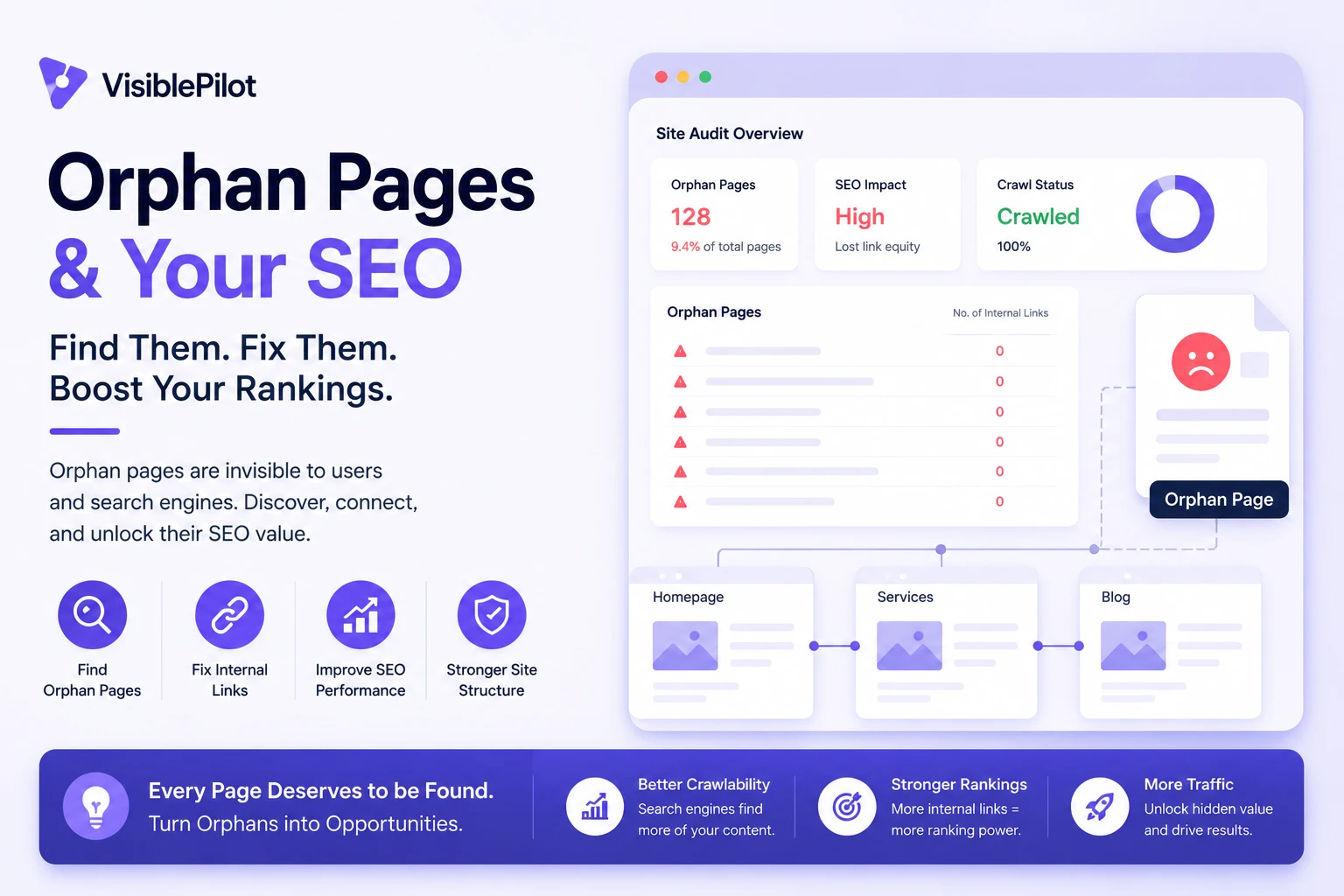
    Some of the most useful pages on a website receive little or no organic traffic for a simple reason: search engines and visitors have no clear path to reach them.

    These are often called orphan pages. A page may be live, included in a sitemap and even indexed, yet still be disconnected from the website’s normal internal linking structure. When that happens, search engines receive fewer signals about the page’s context, importance and relationship to the rest of the site.

    In simple terms: an orphan page exists, but it is not properly connected to the rest of your website. Fixing it means deciding whether the page should be linked, updated, consolidated, redirected or removed.

    What is an orphan page?

    An orphan page is a URL that exists on your website but has no useful internal links pointing to it from other crawlable pages on the same site.

    Imagine a plumbing company publishes a detailed page about emergency hot-water repairs. The page is accessible through its direct URL, but it is not linked from the services page, navigation, homepage, blog or any relevant article. The page exists, but it is structurally isolated.

    An orphan page is not necessarily:

    • A broken page: it may load normally and return a 200 status code.
    • An unindexed page: it may already be indexed through a sitemap, backlink or previous internal link.
    • A deep page: a page can require several clicks to reach and still not be orphaned.
    • A noindex page: an intentionally excluded page can still receive internal links.

    The defining problem is the absence of a meaningful internal path to the page.

    Why orphan pages matter for SEO

    Search engines may have difficulty discovering them

    Search engines discover many URLs by following links from pages they already know. XML sitemaps help with discovery, but they do not replace a logical internal linking structure. An important page that relies only on a sitemap is missing one of the clearest discovery paths available.

    The page receives fewer importance signals

    Internal links help communicate which pages matter and how topics are connected. A product linked from a collection page, buying guide and related-product section sends a clearer structural signal than a product that appears nowhere except the XML sitemap.

    Search engines receive less topical context

    Internal anchor text and the copy surrounding a link help explain what the destination page covers. A contextual link such as “technical SEO audit checklist” communicates more than a generic “click here” link. Without incoming links, search engines lose some of those contextual clues.

    Visitors are less likely to find the page

    SEO problems often overlap with usability problems. If visitors cannot reach an important page through normal navigation or related content, they may never discover the service, product, guide or comparison it contains.

    • Product discovery can fall.
    • Lead-generating pages receive fewer visits.
    • Useful content produces less engagement.
    • Older content delivers a lower return on production effort.

    Orphan pages can also weaken AI search visibility

    There is no special AI-search markup that repairs weak website architecture. Established SEO fundamentals still matter: pages need to be crawlable, understandable and connected to related information. Clear internal linking helps demonstrate that a website contains a coherent body of knowledge rather than a collection of disconnected URLs.

    Important: adding internal links does not guarantee rankings. It makes a useful page easier to discover, easier to understand and better integrated into the website.

    How orphan pages are created

    Most orphan pages are not created intentionally. They usually appear after normal website changes.

    Website redesigns

    A new navigation or template may omit older service, category or resource pages while leaving their URLs live.

    Campaign landing pages

    Advertising pages can remain accessible after a campaign ends, even though nothing on the website links to them.

    Product changes

    An ecommerce product may be removed from every collection while remaining available through its direct URL.

    Publishing errors

    A writer may publish an article without adding it to a hub page or linking to it from related content.

    Archive changes

    Removing a category, hiding a tag archive or changing pagination can disconnect older posts.

    JavaScript navigation

    Some interfaces expose pages through buttons or scripts without creating standard crawlable links.

    How to find orphan pages

    No single data source is enough. The most reliable approach compares URLs found by a website crawl with URLs known to other systems.

    Step 1: Crawl the website

    Start from the homepage and allow your crawler to follow internal links. The resulting list represents pages that can currently be reached through the site’s link structure.

    Step 2: Export URLs from additional sources

    • XML sitemaps
    • Google Search Console performance reports
    • Google Search Console indexing reports
    • Analytics landing pages
    • CMS exports
    • Server logs
    • Backlink tools
    • Advertising and email landing-page lists

    Step 3: Normalize the URLs

    Standardize HTTP and HTTPS, www and non-www, trailing slashes, uppercase paths, tracking parameters and fragment identifiers. Otherwise, the same page may appear several times.

    Step 4: Compare the lists

    A potential orphan page appears in one or more external data sources but not in the internal crawl. For example, a service page may appear in the sitemap and Search Console but remain absent from the crawl.

    URL typeCrawl resultOther evidenceLikely action
    Important service pageNot foundTraffic or impressionsUpdate and add links
    Old campaign pageNot foundNo traffic or linksRemove or redirect
    Active productNot foundPresent in sitemapAdd to a relevant collection

    Step 5: Verify every candidate

    • Does the URL return a 200 status?
    • Is it canonicalized elsewhere?
    • Is it intentionally noindexed?
    • Does it contain useful, current content?
    • Does it receive traffic, conversions or backlinks?
    • Is there a crawlable link the audit missed?

    Decide what to do with each page

    Finding an orphan page does not automatically mean you should add links to it. First decide whether the URL deserves to remain part of the website.

    Page conditionRecommended action
    Useful, unique and strategically importantAdd relevant internal links and place it within the correct hierarchy.
    Useful but outdatedUpdate it before adding new links.
    Overlaps with a stronger pageConsolidate useful content and redirect the weaker URL.
    Obsolete but has traffic or backlinksRedirect it to the closest relevant replacement.
    Obsolete with no replacementRemove it with an appropriate 404 or 410 response.
    Required for users but not searchKeep it accessible and consider noindex based on its purpose.

    How to fix orphan pages

    Add contextual internal links

    The strongest fix for an important page is usually a relevant link from another useful page. Suitable sources include service hubs, product collections, topic guides, related articles, comparison pages, breadcrumbs and related-content modules.

    Use descriptive anchor text

    Anchor text should set a clear expectation. “Learn how to fix orphan pages” is more useful than “read more.” Use natural variations instead of forcing the same exact keyword into every link.

    Place the page inside a logical hierarchy

    Service website:
    Homepage → Services → Commercial Services → Office Cleaning

    Ecommerce store:
    Homepage → Furniture → Office Furniture → Desks → Product

    Repair template-level problems

    If hundreds of products or posts become orphaned, the issue is unlikely to be solved one page at a time. Review the theme or CMS logic responsible for archive listings, collection rules, pagination, breadcrumbs and related-content blocks.

    Redirect or remove pages that should not remain

    Do not add links merely to preserve an obsolete URL. Consolidate relevant information and redirect to the closest suitable replacement. Avoid sending every removed page to the homepage, because that rarely satisfies the original intent.

    WordPress, Shopify, Wix and WooCommerce examples

    WordPress

    WordPress orphan pages commonly result from uncategorized posts, removed menu links, page-builder templates, deleted archive pages or articles published without related links.

    • Assign each post to a meaningful category.
    • Link cornerstone guides to supporting articles.
    • Confirm custom post types appear in archives.
    • Check that page-builder buttons use real URLs.
    • Review whether tag archives add genuine value.

    Shopify

    Shopify products can become orphaned when they are removed from every collection but remain active. Seasonal collections can also become disconnected when promotional navigation is removed.

    • Find active products that are not assigned to a collection.
    • Review automated collection rules.
    • Check products accessible only through search or direct URLs.
    • Review expired campaign collections.
    • Confirm breadcrumbs and related-product links work correctly.

    WooCommerce

    WooCommerce combines WordPress content issues with ecommerce taxonomy issues. Products may be excluded from categories, hidden by catalogue settings or disconnected after a theme change. Check product categories, attribute archives, related products, breadcrumbs and paginated shop pages.

    Wix

    Wix pages may become isolated when they are hidden from menus and no contextual links are added elsewhere. Dynamic pages and CMS collections should also be checked to confirm that every important item has a crawlable route.

    Best practices for preventing orphan pages

    • Use a publishing checklist: identify the parent hub, incoming links, outgoing links and intended search intent before publication.
    • Build topic clusters deliberately: connect supporting articles to a central guide and to closely related pages.
    • Audit after major changes: run a new crawl after redesigns, migrations, navigation updates and large product imports.
    • Review new URLs regularly: compare recently published CMS URLs against the crawl.
    • Keep sitemaps accurate: include canonical URLs you genuinely want search engines to consider.
    • Assign ownership: make one person or process responsible for confirming that newly published pages are properly integrated.

    A simple publishing rule

    Every important new page should receive at least one relevant incoming internal link before or immediately after it is published.

    Common orphan-page mistakes

    • Treating every candidate as a problem: some account, checkout and campaign URLs are intentionally outside normal navigation.
    • Linking from irrelevant pages: internal links should help users, not merely satisfy an audit score.
    • Keeping weak pages alive: an orphan-page report is not a reason to preserve thin or obsolete content.
    • Relying only on the sitemap: sitemap inclusion does not create a useful website hierarchy.
    • Using generic anchor text everywhere: descriptive anchors communicate more context.
    • Ignoring the root cause: repeated orphaning often indicates a template, workflow or collection-rule problem.

    Orphan-page checklist

    • Run a crawl from the homepage.
    • Export URLs from sitemaps, Search Console, analytics and the CMS.
    • Normalize URL formats before comparing data.
    • Identify URLs missing from the internal crawl.
    • Verify status codes, canonicals and indexing instructions.
    • Check traffic, backlinks, conversions and content quality.
    • Keep, update, consolidate, redirect or remove each page.
    • Add contextual links to valuable pages.
    • Repair template-level causes.
    • Repeat the audit after major website changes.

    Frequently asked questions

    Are orphan pages always bad for SEO?

    No. Some URLs are intentionally isolated, including private account pages, temporary campaign pages and utility pages. The concern is an important indexable page that should be discoverable but is not properly connected.

    Can an orphan page still rank?

    Yes. It may be discovered through a sitemap or backlink and may rank based on its own content and external signals. However, a useful internal structure gives search engines and visitors clearer access and context.

    Does adding a page to the menu fix it?

    It can, but not every page belongs in the main menu. A contextual link from a relevant category, guide, service page or product collection is often more useful.

    Should orphan pages be removed from the sitemap?

    If the page is obsolete, redirected, non-canonical or intentionally excluded from search, it generally should not remain in the XML sitemap. Valuable canonical pages can stay in the sitemap, but they should also have a logical internal path.

    How often should orphan pages be checked?

    Check after major redesigns, migrations and navigation changes. For active publishing or ecommerce websites, a monthly or quarterly comparison is often practical.

    Conclusion

    Orphan pages are not merely URLs with zero links. They are a sign that useful content may not be properly integrated into your website’s structure.

    The right response depends on the page. Important pages should be updated and connected. Duplicates should be consolidated. Obsolete URLs should be redirected or removed. Repeated problems should be fixed at the template or workflow level.

    If you would rather automate this process instead of comparing URL sources manually, tools such as Visible Pilot can continuously monitor a website, identify internal-linking opportunities and apply approved improvements with backup and rollback controls.
  • How to Get Cited in AI Search Results: 12 Practical Steps

    How to Get Cited in AI Search Results: 12 Practical Steps

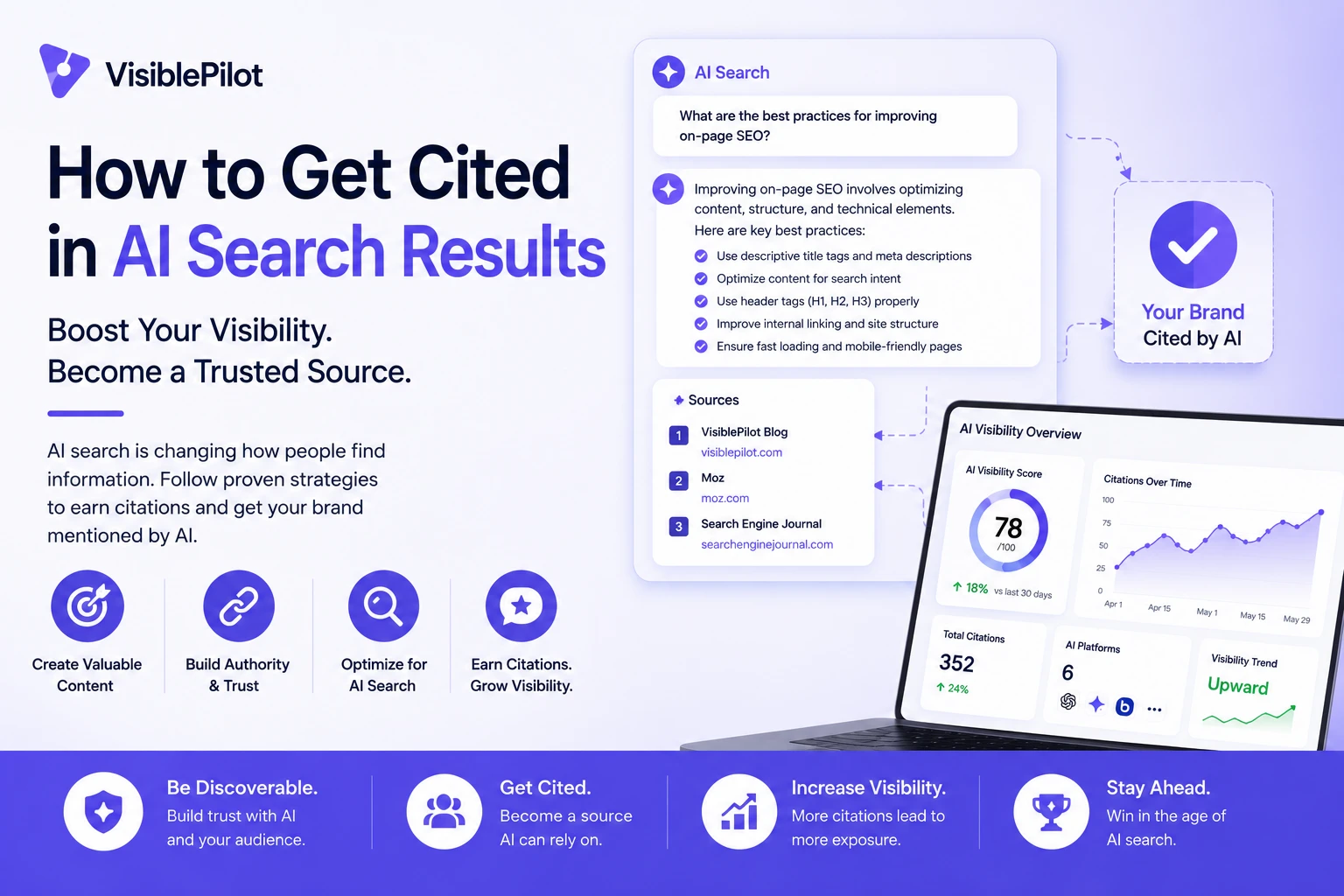
    Ranking on Google is no longer the only way a website can earn visibility. Search experiences now generate direct answers, summaries, comparisons and recommendations—and many of those answers include citations to source pages.

    That creates a new question for website owners: how do you make your content more likely to be selected as a source?

    The answer is not to write for robots or repeat keywords more often. AI search citations are more likely when a page is technically accessible, clearly focused, easy to extract, supported by evidence and useful for the exact question being asked.

    Quick answer

    To improve your chances of being cited in AI search results, publish pages that answer specific questions directly, support important claims with reliable evidence, use clear headings and comparison formats, maintain accurate entity information, strengthen internal links and keep content technically crawlable and current.

    There is no guaranteed method for earning a citation. Different AI systems use different retrieval, ranking and generation methods. Your goal is to make each important page a strong, trustworthy source that can be found, understood and reused without ambiguity.

    What is an AI search citation?

    An AI search citation is a visible reference or link that identifies a webpage as a source used to support a generated answer. Citations may appear beside a sentence, below an answer or inside a source panel, depending on the search platform.

    A citation is different from a traditional organic ranking. A page may rank well but not be cited in a particular generated answer. Another page may be selected because it provides a more precise definition, clearer comparison, stronger evidence or more current information for the specific prompt.

    Traditional search resultAI search citation
    A webpage appears as a ranked resultA webpage is referenced as evidence inside a generated answer
    Usually evaluated at query levelMay be selected for a particular claim or section of an answer
    Success is measured with rankings, impressions and clicksSuccess may include citations, brand mentions, referenced pages and assisted conversions
    The user chooses which result to openThe AI system summarizes information before the user visits a source

    How AI systems choose pages to cite

    There is no universal citation algorithm. However, most citation opportunities depend on four broad stages:

    1. Discovery: the system must be able to find and access the page.
    2. Retrieval: the page must appear relevant to the prompt or grounding query.
    3. Understanding: the system must be able to identify the page’s subject, entities and key claims.
    4. Selection: the content must be useful and trustworthy enough to support the generated answer.

    This is why AI visibility still depends on strong SEO foundations. A page that is blocked, orphaned, duplicated or poorly structured creates friction before content quality can even be evaluated.

    12 ways to make content more citation-worthy

    1. Target a precise question or decision

    Broad articles often contain too little depth on any single question. A stronger page has a clear job: define a concept, compare options, explain a process, diagnose a problem or help the reader make a decision.

    For example, “AI search optimization” is broad. “How to measure citations in AI search results” is more precise. The second topic gives the page a clear retrieval purpose and makes it easier to match with a specific prompt.

    2. Put the direct answer near the beginning

    Do not make readers work through a long introduction before reaching the useful information. Give a concise answer first, then explain the conditions, evidence and practical steps.

    A good opening answer usually states what the concept means, what matters most and what the reader should do next. This format helps people scan the page and creates a self-contained passage that can be understood without missing context.

    3. Use headings that match real follow-up questions

    Descriptive headings improve navigation and help separate the page into distinct answer units. Instead of vague headings such as “More details” or “Key factors,” use headings like “Does schema markup improve AI citations?” or “How often should citation-focused content be updated?”

    Each section should answer the heading immediately. This makes the article useful for conversational searches where one initial question produces several follow-up questions.

    4. Support factual claims with primary sources

    Unsupported claims are difficult to trust and easy to replace. When you discuss search engine behaviour, platform features, standards, regulations or research findings, link to the original documentation or study whenever possible.

    For example, Google explains that crawlable internal links and descriptive anchor text help it discover pages and understand their context. Microsoft now provides AI citation reporting in Bing Webmaster Tools, including cited pages and grounding queries. These are stronger foundations than repeating unverified advice from another marketing article.

    Useful official references include Google’s link best practices, its Article structured data documentation, and Microsoft’s explanation of AI Performance in Bing Webmaster Tools.

    5. Add original information competitors cannot copy easily

    A page becomes more valuable when it contributes something beyond a generic summary. Original information may include first-hand tests, anonymized audit findings, customer questions, screenshots, templates, calculations, expert commentary or a documented process.

    You do not need a large research budget. A small study of 20 websites can be more citation-worthy than a broad article that repeats common advice without evidence. Explain the methodology, limitations and date so readers can judge the result properly.

    6. Make every important claim unambiguous

    A sentence should identify who or what it refers to. Avoid unclear phrases such as “this tool,” “they say” or “it works better” when the reader cannot determine the subject, comparison or condition.

    Use exact product names, dates, locations, units and definitions where they matter. Clear entity references help prevent a statement from being separated from the context needed to interpret it accurately.

    7. Use tables for comparisons and decision criteria

    Tables are useful when readers need to compare tools, tactics, costs, requirements or outcomes. They make relationships explicit and reduce the amount of interpretation required.

    Content formatBest useCommon mistake
    DefinitionExplaining a term quicklyUsing jargon inside the definition
    Comparison tableHelping users choose between optionsComparing inconsistent criteria
    Step-by-step processExplaining how to complete a taskSkipping prerequisites or decision points
    ChecklistAuditing whether requirements are metListing actions without explaining priority
    FAQAnswering natural follow-up questionsAdding questions only to repeat keywords

    8. Strengthen internal links and topic relationships

    Internal links help crawlers discover pages and help users move from a broad explanation to a more specific answer. Google recommends linking important pages from other relevant pages and using concise, descriptive anchor text.

    For a deeper foundation, read our guide to generative engine optimization strategies. Website owners troubleshooting brand visibility should also review why ChatGPT may not mention a brand.

    Avoid linking every occurrence of a keyword. Add a link when the destination gives the reader meaningful next-step information.

    9. Prevent orphan pages and duplicate intent

    A high-quality article can remain weak if no other page links to it. Orphan pages receive little internal context and may be harder for crawlers and users to find. Our guide to finding and fixing orphan pages explains how to detect and reconnect them.

    Also avoid publishing several pages that answer the same question with only minor wording changes. Overlapping pages divide links, relevance and maintenance effort. Consolidate them or give each page a clearly different intent.

    10. Use structured data accurately

    Structured data can help search engines identify page types and attributes. For articles, relevant properties may include the headline, author, publication date, modification date and representative images.

    Schema does not make weak content authoritative and does not guarantee a citation or rich result. It should accurately describe visible content rather than introduce claims that readers cannot see on the page.

    11. Keep important pages current

    Outdated facts reduce usefulness and trust. Review pages that contain prices, product capabilities, regulations, platform features, statistics or recommendations more frequently than evergreen definitions.

    Update the visible content, not only the modification date. Record meaningful changes, replace obsolete sources and check that external and internal links still resolve correctly.

    12. Make the page technically easy to access

    Confirm that the preferred URL returns a successful response, is not unintentionally blocked, has the correct canonical, appears in a sitemap and can be reached through crawlable links. Important information should be available in rendered text rather than existing only inside an image or inaccessible script.

    For ecommerce sites, technical visibility problems often affect product and collection pages at scale. The diagnostic steps in why a Shopify website may not appear on Google provide a useful starting point.

    What does not guarantee an AI citation?

    Several popular tactics are presented as shortcuts, but none creates a guaranteed citation.

    • Adding an FAQ section: useful when it answers real questions, but ineffective when it repeats the article.
    • Adding schema markup: helpful for machine understanding, but not a substitute for evidence or relevance.
    • Increasing word count: more words do not automatically create more value.
    • Repeating brand names and keywords: repetition can reduce readability without strengthening proof.
    • Publishing large volumes of AI-generated content: scale does not compensate for duplication, weak sourcing or unclear intent.
    • Blocking all crawlers except Google: this may prevent other search and answer systems from accessing your public content.

    How to measure AI search citations

    AI visibility measurement is still developing, so use several signals rather than one headline metric.

    MetricWhat it tells youLimitation
    Citation countHow often supported platforms reference your domain or pageDoes not always show prominence or influence
    Cited pagesWhich URLs are selected most frequentlyA citation does not guarantee a visit
    Grounding queriesTopics or phrases associated with retrievalReporting may be sampled or platform-specific
    AI referral trafficVisits sent from identifiable AI platformsSome journeys may not pass clear referral data
    Brand mentionsWhether the brand appears in relevant answersResults can vary by wording, time and location
    ConversionsWhether AI-assisted visits lead to business outcomesAttribution may involve several channels

    Microsoft’s AI Performance report is especially useful because it exposes total citations, cited pages and grounding queries across supported experiences. Combine platform reporting with analytics, server logs, conversion tracking and a controlled set of recurring test prompts.

    A practical AI citation optimization workflow

    1. Choose one valuable prompt cluster. Identify the main question and the follow-up questions a buyer is likely to ask.
    2. Audit the existing results. Review which source types are cited and what evidence or formats they provide.
    3. Select the best page. Improve an existing relevant page before creating a competing URL.
    4. Write the direct answer. State the core answer near the beginning and clarify important conditions.
    5. Add evidence. Include primary sources, original examples and transparent methodology.
    6. Improve extraction. Use descriptive headings, tables, steps and concise definitions.
    7. Confirm technical access. Check status codes, canonical signals, robots rules, sitemaps and rendered content.
    8. Add internal links. Link from relevant existing pages and link out to deeper supporting resources.
    9. Measure over time. Track citations, mentions, referral traffic and conversions rather than checking one prompt once.
    10. Refresh based on evidence. Improve weak sections, update facts and expand the page only where users need more help.

    Frequently asked questions

    Can a new website get cited in AI search?

    Yes, but a new website usually has fewer authority and entity signals. It can compete by targeting narrow questions, publishing genuinely original information, earning relevant third-party mentions and making each page technically accessible and easy to verify.

    Does ranking first on Google guarantee an AI citation?

    No. Strong rankings may improve discoverability, but generated answers can cite several sources and may select a page that better supports a specific claim, comparison or recent fact.

    Does schema markup improve AI visibility?

    Accurate structured data can clarify page type and entity attributes, but it does not guarantee inclusion. It works best as part of a broader strategy involving crawlability, helpful content, evidence, internal links and consistent entity information.

    How long does it take to earn AI citations?

    There is no fixed timeline. Discovery, indexing, source selection and reporting differ by platform. Technical changes may be discovered relatively quickly, while authority, third-party mentions and stable citation patterns usually take longer to develop.

    Should every blog post be optimized for AI citations?

    Every post should be clear and useful, but not every page needs to target a citation opportunity. Prioritize pages that answer valuable questions, contain distinctive evidence or support an important customer decision.

    Final takeaway

    The most reliable way to improve AI citation potential is to become a better source. Make your content accessible, precise, well structured, evidence-led and current. Build clear relationships between related pages, remove duplication and publish information that adds something genuinely useful to the web.

    Visible Pilot is being built to help website owners identify, prioritize and safely complete SEO and GEO improvements across their sites. The principle remains the same whether the work is manual or automated: visibility improves when search systems can confidently find, understand and trust the right page.