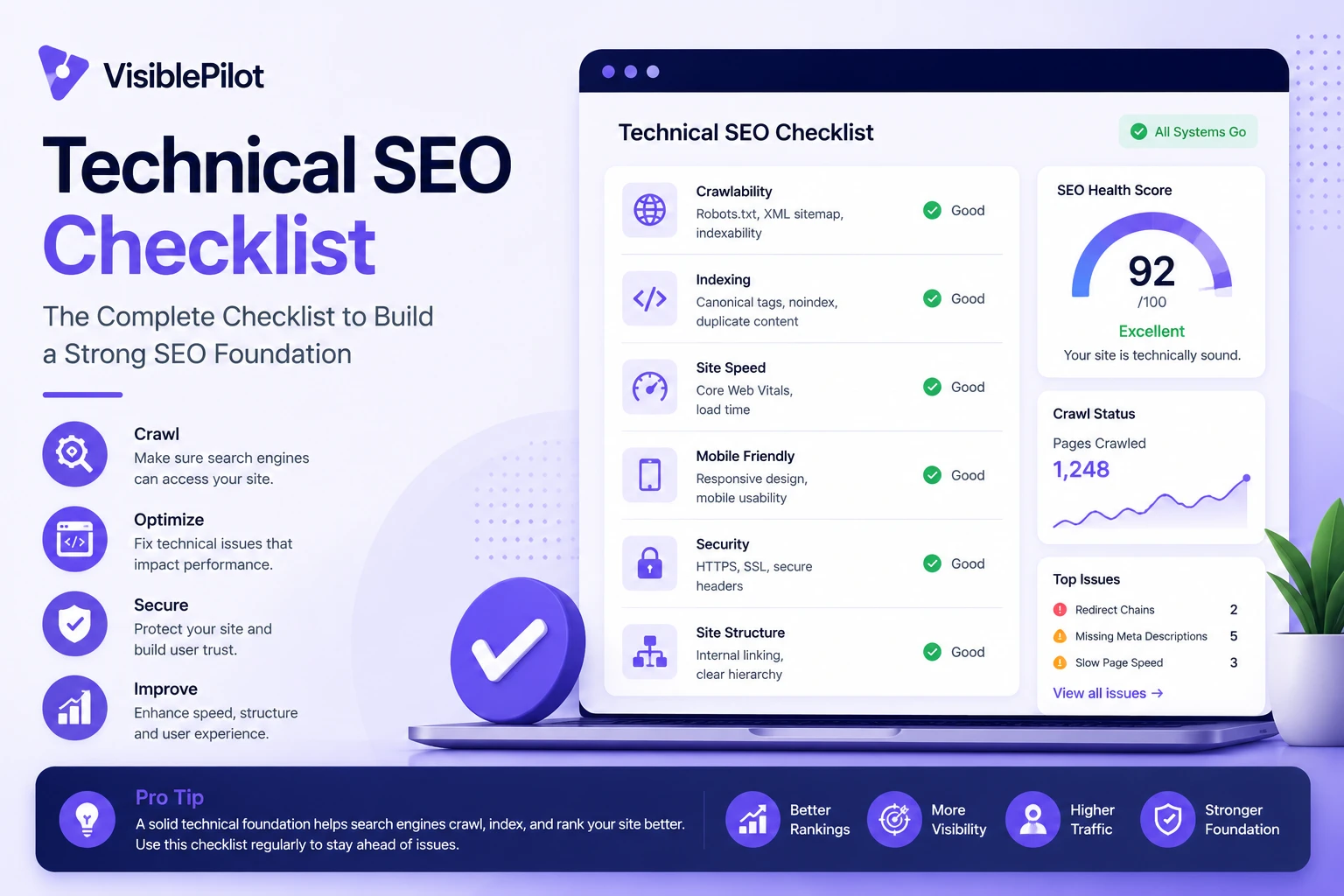
A website can have excellent products, useful content and a credible brand yet still struggle in search because of technical problems underneath the surface. Search engines must be able to discover a URL, access it, understand its content and select the correct version before rankings are even possible.
This technical SEO checklist gives website owners, marketers and developers a practical audit sequence for 2026. It covers the issues that matter across WordPress, Shopify, Wix, WooCommerce and custom websites, without treating every warning from an SEO tool as an emergency.
Quick answer: Start by confirming that important pages return a successful status code, are not blocked, can be crawled through internal links and contain indexable content. Then review canonicalization, sitemaps, redirects, mobile rendering, Core Web Vitals, structured data and ongoing monitoring.
1. Confirm that important pages are technically eligible for Google Search
Google describes three minimum technical requirements for a page to be eligible for indexing: Googlebot must not be blocked, the page must work and return an HTTP 200 success response, and it must contain indexable content. Meeting those requirements does not guarantee indexing or rankings, but failing one of them can prevent the page from appearing at all.
- Open each priority URL without logging in.
- Confirm it returns a 200 status code.
- Check that the main content appears in the rendered HTML.
- Verify that robots.txt does not block the URL or essential page resources.
- Look for accidental
noindexdirectives in the HTML or HTTP headers.
Use Google Search Console’s URL Inspection tool for important pages. Test the live URL when the indexed version looks outdated or when you suspect that Google sees something different from visitors.
Common mistake: Blocking a page in robots.txt does not reliably remove it from search. If you need Google to process a noindex rule, the crawler must be allowed to access the page and read that directive.
2. Audit robots.txt and indexing directives separately
Robots.txt controls crawling. Robots meta tags and X-Robots-Tag headers control indexing and search-result presentation. They solve different problems, so audit them separately.
Robots.txt checks
- Confirm the file is available at
/robots.txt. - Look for broad rules that block important folders, product pages, scripts, CSS or images.
- Check staging rules after a migration. A site can accidentally launch with a sitewide disallow rule.
- Do not block resources required to render the main content.
- Include the sitemap location when useful, but do not assume this fixes crawlability problems.
Meta robots and header checks
- Find pages carrying
noindex,nofollowor restrictive snippet directives. - Confirm that intentional noindex rules are limited to pages that should not appear in search.
- Check PDFs and other non-HTML files for X-Robots-Tag headers when relevant.
- Review CMS search visibility settings after theme, plugin or platform changes.
3. Make every important page reachable through crawlable internal links
Googlebot discovers URLs through links, sitemaps and redirects. Important pages should be reachable through normal HTML links from other discoverable pages. A sitemap can support discovery, but it does not replace a coherent website structure.
- Use real
<a href>links rather than JavaScript-only click events. - Ensure every important page has at least one useful incoming internal link.
- Keep important pages reasonably close to the homepage or a relevant category hub.
- Use descriptive anchor text that explains the destination.
- Check pagination, faceted navigation, related products and archive pages.
- Find URLs known to the CMS, sitemap, analytics or Search Console but missing from a normal crawl.
For a detailed process, read our guide to finding and fixing orphan pages. It explains how to compare crawl data with sitemap, analytics, CMS and Search Console exports.
4. Clean up HTTP status codes, redirects and broken links
Status codes tell crawlers what happened when they requested a URL. A technical audit should identify errors and then evaluate their context rather than blindly forcing every URL to return 200.
| Status | What it usually means | What to review |
|---|---|---|
| 200 | The request succeeded | Confirm the page contains the intended content and is not a soft 404. |
| 301 or 308 | Permanent redirect | Use for lasting URL changes and point directly to the final relevant destination. |
| 302 or 307 | Temporary redirect | Confirm the change is genuinely temporary. |
| 404 or 410 | The resource is unavailable | Restore, redirect or leave removed depending on whether a relevant replacement exists. |
| 5xx | Server-side failure | Investigate hosting, application, database, timeout and deployment errors promptly. |
- Remove internal links that point to broken URLs.
- Avoid redirect chains and loops.
- Do not redirect unrelated removed pages to the homepage.
- Update internal links to point directly to the final URL.
- Monitor intermittent server errors, not only permanent failures.
- Check whether custom 404 pages return the correct 404 status.
5. Review canonical tags and duplicate URLs
Duplicate or near-duplicate URLs can appear because of tracking parameters, product variants, filters, print pages, HTTP and HTTPS versions, trailing-slash variations or CMS-generated archives. Canonical signals help search engines choose a representative URL.
- Use a self-referencing canonical on indexable primary pages when appropriate.
- Point duplicate versions to the preferred canonical URL.
- Keep canonical tags, internal links, sitemaps and redirects consistent.
- Do not canonicalize a page to an unrelated destination.
- Check that canonical URLs return 200 and are not blocked or noindexed.
- Review parameter and faceted-navigation URLs on ecommerce sites.
Best practice: Treat canonicalization as a group of reinforcing signals. A canonical tag is less persuasive when the sitemap lists another URL and all internal links point somewhere else.
6. Validate the XML sitemap
An XML sitemap helps search engines discover new and updated URLs. It should be a clean list of canonical pages you want considered for indexing, not an archive of every URL your website has ever generated.
- Include only canonical, indexable URLs that return 200.
- Use absolute URLs with the correct HTTPS and hostname version.
- Remove redirects, errors, noindexed pages and duplicates.
- Keep modification dates accurate when your CMS supports them.
- Split very large sitemaps when they approach protocol limits.
- Submit the sitemap or sitemap index in Google Search Console.
- Compare sitemap URLs with crawled URLs to find disconnected pages.
Google supports several sitemap formats and limits a single sitemap to 50 MB uncompressed or 50,000 URLs. Most small and medium websites will remain far below those limits, but large ecommerce and publishing sites should use sitemap index files.
7. Check mobile rendering and JavaScript dependencies
Google primarily uses mobile crawling. Your audit should therefore focus on what the mobile crawler can access and render, not only how the desktop page looks to a logged-in administrator.
- Compare mobile and desktop main content.
- Ensure important text is not omitted from the mobile version.
- Check navigation, accordions, filters and product options on small screens.
- Confirm lazy-loaded content appears when a crawler renders the page.
- Give each important application screen or content state a stable URL.
- Make sure JavaScript-generated links are crawlable.
- Inspect rendered HTML for text, links, canonical tags and structured data.
JavaScript is not automatically bad for SEO. The risk appears when essential content or navigation depends on scripts that fail, require unsupported interactions or load differently for crawlers.
8. Measure Core Web Vitals with field and lab data
Core Web Vitals measure real-world loading performance, responsiveness and visual stability. Google’s current good-experience targets are:
- Largest Contentful Paint (LCP): within 2.5 seconds.
- Interaction to Next Paint (INP): under 200 milliseconds.
- Cumulative Layout Shift (CLS): 0.1 or less.
Use field data to understand actual user experience and lab tools to diagnose causes. A single fast test from your office does not represent visitors using slower phones, congested networks or distant locations.
Common improvements
- Compress and correctly size hero images.
- Preload the genuine LCP resource when appropriate.
- Reduce unused JavaScript and third-party scripts.
- Break up long main-thread tasks.
- Reserve dimensions for images, embeds and advertisements.
- Use efficient caching and content delivery.
- Improve server response time and database performance.
9. Validate structured data without treating it as a ranking shortcut
Structured data gives search engines explicit information about a page and may make the page eligible for supported rich results. It does not guarantee a rich result and should accurately represent visible page content.
- Use a supported type that matches the page.
- Include required and useful recommended properties.
- Ensure marked-up information is visible and accurate.
- Do not add reviews, prices, availability or author details that are not present on the page.
- Use Google’s Rich Results Test for supported features.
- Monitor enhancement reports in Search Console.
- Retest templates after theme or plugin updates.
Common useful types include Product, Article, LocalBusiness, Organization, BreadcrumbList, Event, JobPosting, Recipe and VideoObject. Use only the types that genuinely fit your content and Google’s current search feature support.
10. Audit titles, headings, images and metadata at scale
Technical SEO overlaps with on-page SEO when templates generate missing, duplicated or misleading metadata. Review patterns across page types rather than editing random URLs one by one.
- Give each important page a descriptive title.
- Write useful meta descriptions for pages that deserve search traffic.
- Use a clear main heading that matches the page purpose.
- Keep heading order understandable for readers.
- Add meaningful alt text to informative images.
- Use descriptive filenames where practical.
- Prevent templates from creating thousands of near-identical titles.
- Check social sharing titles and descriptions for important pages.
11. Check international and local technical signals where relevant
Businesses serving several countries or languages need consistent regional architecture. Local businesses should also ensure that search engines can understand their location and business identity.
- Use separate, crawlable URLs for language or regional versions.
- Implement reciprocal hreflang annotations where needed.
- Include an x-default version when it fits the experience.
- Avoid automatic location redirects that prevent crawlers or travellers from accessing another version.
- Keep business name, address, phone and service information consistent.
- Use relevant LocalBusiness structured data without inventing information.
12. Review technical readiness for AI search experiences
Technical SEO remains foundational for AI-powered search. Google states that its established SEO best practices continue to apply to AI Overviews and AI Mode, with no special markup required for inclusion.
- Keep important content crawlable and indexable.
- Use clear internal linking and logical topic relationships.
- Publish original, useful information rather than scaled variations of the same page.
- Support text with relevant images and video when they improve the answer.
- Make factual claims easy to verify.
- Keep product, local and organizational information current.
- Do not create hundreds of thin pages for every imagined AI query variation.
For more detail, see our guide to optimizing a website for generative AI features on Google Search and our practical GEO strategies for AI visibility.
13. Create a monitoring and change-control process
A technical SEO audit is a snapshot. Websites change every week through new content, plugin updates, product imports, redirects, theme releases and developer deployments. The stronger approach is continuous monitoring with clear ownership.
- Crawl the site after migrations, redesigns and major releases.
- Monitor Search Console indexing, crawl and enhancement reports.
- Track changes in organic landing pages and conversions.
- Alert the team to new 5xx errors, broken internal links and accidental noindex rules.
- Keep backups before changing templates, metadata or redirect rules.
- Document what changed, why it changed and how success will be measured.
- Verify fixes after deployment and retain a rollback path.
Technical SEO audit priority order
- Critical access, security and server errors
- Accidental blocking or noindex directives
- Important pages missing from the index
- Broken links, redirect loops and incorrect canonicals
- Site architecture and orphan pages
- Mobile rendering and JavaScript issues
- Core Web Vitals and performance
- Structured data and search appearance
- Template metadata and image optimization
- Ongoing monitoring and prevention
Common technical SEO mistakes
- Trying to fix every crawler warning without checking business impact.
- Using robots.txt to remove pages from the index.
- Submitting a sitemap full of redirects, errors and noindexed URLs.
- Redirecting every deleted page to the homepage.
- Changing URLs without mapping redirects first.
- Optimizing only the homepage while product, service or article templates remain broken.
- Relying on one speed-test result instead of real-user data.
- Adding structured data that does not match visible content.
- Publishing pages without internal links.
- Applying automated changes without backups, verification or rollback.
Technical SEO checklist
- Priority pages return 200 and contain indexable content.
- Googlebot is not unintentionally blocked.
- Noindex rules are intentional and crawlable.
- Robots.txt is valid and does not block required resources.
- Important URLs have crawlable internal links.
- Broken links, redirect chains and loops are fixed.
- Canonical tags point to valid preferred URLs.
- The XML sitemap contains clean canonical URLs.
- Mobile pages contain the full important content.
- JavaScript does not hide essential links or text.
- Core Web Vitals are measured with field data.
- Structured data is valid, visible and appropriate.
- Titles, headings and image metadata work across templates.
- International and local signals are consistent.
- Important changes have backups, verification and rollback.
Frequently asked questions
How often should you run a technical SEO audit?
Small, stable websites may need a full review every quarter, with lighter monthly monitoring. Ecommerce, publishing and frequently updated websites should monitor critical issues continuously and run deeper audits after major releases.
Does a perfect technical audit guarantee higher rankings?
No. Technical SEO makes content accessible and understandable, but rankings also depend on relevance, usefulness, competition, reputation and many other signals. A technically perfect empty page is still not useful.
Which technical SEO issue should be fixed first?
Start with issues that prevent important pages from loading, being crawled or being indexed. Server failures, accidental sitewide blocking and incorrect noindex rules normally take priority over cosmetic metadata warnings.
Can WordPress, Shopify or Wix handle technical SEO automatically?
Modern platforms handle many defaults, but they cannot know your preferred site architecture, which duplicate URL should win, whether a removed page needs a redirect or whether an important page has become orphaned. Platform automation reduces manual setup; it does not remove the need for review.
Is technical SEO different for AI search?
The fundamentals are largely the same. Content must be accessible, indexable, useful and connected to the rest of the site. Clear structure and reliable information support visibility in both conventional and AI-powered search experiences.
Conclusion
The best technical SEO audit does not produce the longest list of errors. It identifies which issues prevent valuable pages from being discovered, understood and used, then fixes those issues in a safe order.
Begin with access and indexability. Then improve site structure, canonicalization, sitemaps, mobile rendering, page experience and structured data. Finally, put monitoring in place so the same problems do not quietly return.
If you would rather automate ongoing checks instead of repeating the entire process manually, tools like Visible Pilot can monitor a connected website, prioritize new SEO opportunities and apply approved improvements with backups and rollback available.
Authority references: Google Search technical requirements; Google crawling and indexing documentation; Google sitemap guidance; Google Core Web Vitals guidance; Google guidance for generative AI features.