Artificial intelligence has become ordinary business software. A consultant can turn notes into a first-draft proposal, a retailer can analyse product performance, a trades business can prepare customer follow-ups, and a small team can leave a meeting with decisions and actions already organised.
The difficult part is no longer finding an AI application. It is choosing a small number of tools that fit the systems you already use, protect the information entrusted to your business and remove enough work to justify their subscription and review costs. An impressive demo can still become an expensive extra tab that nobody opens after the first month.
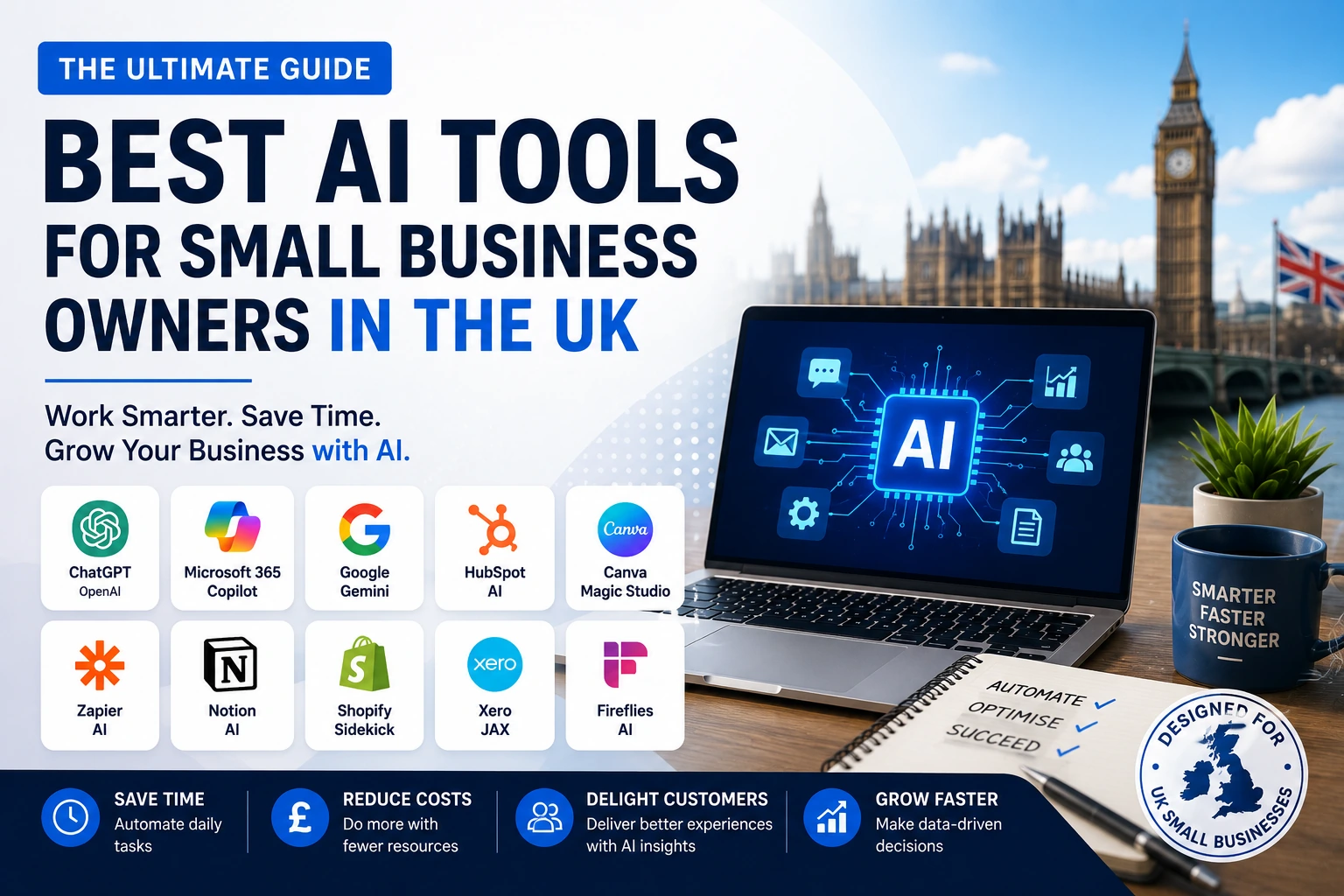
This guide compares ten practical options for UK sole traders and small businesses. The tools cover general assistance, Microsoft and Google productivity suites, design, finance administration, customer management, ecommerce, automation, knowledge management and meetings. It also includes a UK-focused privacy and cyber-security checklist and a 30-day adoption plan.
| Quick answer: For most UK small businesses, the best starting point is one general-purpose assistant or the AI already included in the productivity suite your team uses. Add a specialist such as Sage Copilot, Shopify Sidekick or HubSpot Breeze when it can work with the relevant business data. Add Zapier only after the workflow, owner, permissions and success measure are clear. |
How these AI tools were selected
A tool made this list because it can support a recurring small-business workflow without requiring a dedicated data science team. Selection was based on seven practical criteria:
Useful work rather than novelty. The product should help complete a real task such as drafting, analysing, reconciling, designing, recording, researching or routing work.
Fit with an existing stack. AI inside Microsoft 365, Google Workspace, Sage, Shopify or HubSpot usually creates less friction than a disconnected application.
Availability to UK businesses. The service should be accessible in the UK, although exact features, limits and plans may vary.
Business-grade controls. Accounts, permissions, auditability, retention choices and clear data terms matter when customer or employee information is involved.
A manageable learning curve. A sole trader or small team should be able to run a controlled test without a long implementation programme.
Measurable value. The tool should save time, reduce rework, improve response speed, support revenue or reduce risk in a way the business can observe.
A clear human-review point. AI should accelerate judgement, not conceal who is accountable for a customer message, financial decision or published claim.
The best AI tools at a glance
| Tool | Best for | Strongest use | Main caution |
| ChatGPT Business | General business assistance | Research, drafting, analysis and reusable internal assistants | Outputs still require evidence checks and approval |
| Microsoft 365 Copilot | Microsoft-first firms | Work grounded in Outlook, Teams, Word, Excel and company files | Value depends on clean permissions and eligible licences |
| Google Workspace with Gemini | Google-first teams | Email, document, spreadsheet, Drive and meeting assistance | Avoid paying for overlapping general assistants |
| Canva Magic Studio | Everyday marketing design | On-brand creative drafts, formats, presentations and social assets | Generated material needs brand and rights review |
| Sage Copilot | UK finance administration | Invoices, reminders, cash-flow context and accounting workflows | Not a substitute for an accountant or tax advice |
| HubSpot Breeze | Sales, marketing and service | CRM-grounded follow-up, content, prospecting and support | Weak CRM data produces weak automation |
| Shopify Sidekick | Shopify retailers | Store analysis, commerce questions and admin actions | Useful only inside the Shopify ecosystem |
| Zapier AI | Cross-app automation | Connecting triggers, AI steps, records and follow-up actions | A poor process becomes a faster poor process |
| Notion AI | Knowledge and operations | Search, documents, projects, meeting notes and internal answers | Requires an organised workspace and permissions |
| Fireflies.ai | Meeting-heavy businesses | Transcripts, summaries, actions and conversation search | Recording transparency and retention need attention |
1. ChatGPT Business: best all-round AI workbench
ChatGPT Business is the broadest starting point for an owner who needs help across several kinds of knowledge work. It can move between research, writing, data analysis, planning and document review without requiring a separate application for every task. The business workspace adds administrative controls and collaboration features that are more suitable for company use than relying on staff members to create unrelated personal accounts.
Its main advantage is flexibility. A business can create shared projects for a campaign, upload files for analysis, build a reusable workspace assistant around an approved process, or turn a rough brief into a structured first draft. OpenAI states that business data is not used to train its models by default, but the owner must still decide which information is appropriate to upload and who should have access.
ChatGPT is most valuable when the business creates repeatable instructions. A saved prompt for reviewing a proposal against a checklist is more useful than asking a different vague question every time. The aim is not to make the tool sound clever; it is to make the output consistent enough that a person can review it quickly.
Practical ways a UK small business can use it
Prepare sales material. Turn discovery notes into a proposal outline, statement of work or follow-up email, then have a person confirm the scope and commercial terms.
Analyse operational data. Upload a clean CSV of enquiries, jobs or products and ask for trends, exceptions and questions that deserve further investigation.
Build a first-draft knowledge assistant. Create a workspace GPT or project using approved FAQs, policies and service information so staff can find a starting answer more quickly.
Improve content production. Develop briefs, outlines, interview questions, comparison tables and repurposing plans while keeping the business voice and factual review with the editor.
Challenge a decision. Ask the model to identify assumptions, missing evidence, risks and alternative explanations before an owner commits money or sends a recommendation.
Best fit: Consultancies, agencies, professional services, retailers and owner-managed firms that need one flexible assistant across several low-to-medium-risk workflows.
Watch-out: Do not treat a fluent answer as verified evidence. Use source links, check calculations, remove unnecessary personal data and require human approval before external publication or customer use.
2. Microsoft 365 Copilot: best for Microsoft-first firms
Microsoft 365 Copilot is the logical choice when most work already lives in Outlook, Teams, Word, Excel, PowerPoint, OneDrive and SharePoint. Its value comes from being in the applications staff use throughout the day and, where permissions allow, grounding assistance in the organisation’s work context.
A small professional-services firm can ask for a summary of a long email thread, turn meeting material into a briefing note, analyse a workbook, draft a presentation from an approved document, or prepare a first version of a client update. Microsoft also offers pre-built agents and administrative tools, although availability and licence requirements should be checked before purchase.
Copilot is less attractive when the business only uses Microsoft applications occasionally. Paying for an integrated assistant makes sense when it removes switching and can find relevant work content. It makes less sense when documents are scattered, naming is inconsistent and permissions have never been reviewed.
Practical ways a UK small business can use it
Triage an overloaded inbox. Summarise threads, identify decisions and draft replies in Outlook while keeping the account owner responsible for what is sent.
Turn meetings into work. Use Teams context to produce recaps, decisions, risks and a draft action list for review.
Create documents from existing material. Use an approved file as the basis for a Word report or PowerPoint deck instead of starting from a blank page.
Interrogate spreadsheets. Ask questions about patterns and exceptions in Excel, then check formulas and source data before acting.
Create internal agents. Use pre-built or configured agents for controlled research and recurring workflows where the business has clear ownership and permissions.
Best fit: Accountancies, consultancies, legal and property firms, construction offices and other small teams already committed to Microsoft 365.
Watch-out: Review SharePoint, Teams and file permissions first. AI can surface information a user is technically allowed to access even when that access was granted too broadly years ago.
3. Google Workspace with Gemini: best for Google-first teams
Gemini is the better ecosystem choice for businesses that run on Gmail, Docs, Sheets, Drive, Meet and Chat. Google has integrated AI capabilities across Workspace so users can draft, summarise, find information and work with documents without moving every task into a separate chatbot.
For a small agency or distributed team, the practical benefits include catching up on an email thread, finding a detail across Drive, creating a document outline, exploring information in a spreadsheet and producing meeting notes. This can reduce the friction between finding context and creating the next piece of work.
The buying decision should be simple: choose Gemini because the business already works deeply in Google Workspace, not because another AI name needs to be added to the stack. A team generally does not need to purchase ChatGPT Business, Microsoft 365 Copilot and Gemini for every employee. Give each tool a defined job and remove the overlap.
Practical ways a UK small business can use it
Draft and refine email. Create a response from key points, adjust its tone and use relevant Drive information where the feature and permissions support it.
Find buried information. Ask for dates, commitments or comparisons contained in long Gmail threads and approved Drive files.
Build documents faster. Create outlines, summaries and first drafts in Docs, then edit them for evidence, voice and commercial accuracy.
Explore spreadsheet information. Use AI to surface patterns or create a starting analysis in Sheets, with a human checking definitions, formulas and outliers.
Reduce meeting admin. Summarise a Meet session and convert the recap into owners, dates and next actions.
Best fit: Digital agencies, remote teams, education and training providers, creative businesses and service firms whose files and communication already live in Google Workspace.
Watch-out: Check which features are included in the current Workspace edition. Keep Drive access tidy and do not buy a second general assistant unless it has a clearly different, measurable role.
4. Canva Magic Studio: best for everyday marketing production
Canva Magic Studio is useful because it brings AI into a design platform that many small businesses already understand. It is not intended to replace a skilled brand designer. Its strength is helping non-designers produce competent first drafts, resize approved creative, explore visual directions and turn one campaign idea into several practical formats.
A local business can create a flyer, social post, presentation, simple video, product graphic or lead magnet without learning a professional design suite. Teams with a brand kit can also reduce the risk of every employee inventing new colours, typefaces and layouts.
The fastest output is not always the best output. AI-generated visuals can be generic, inaccurate or inconsistent with the audience. Use Magic Studio to compress the blank-page stage, then apply brand judgement, accessibility checks, image-rights review and a final proof before publication.
Practical ways a UK small business can use it
Create campaign variants. Turn one approved message into social, email, presentation and print layouts sized for different channels.
Develop first-draft visuals. Generate concepts for a blog cover, event promotion or product background before refining the selected direction.
Repurpose long content. Convert a guide or webinar into a carousel, checklist or simple presentation while preserving the central message.
Support sales teams. Build proposal covers, case-study pages and simple charts without waiting for a designer for every minor change.
Maintain brand consistency. Use templates and brand controls so routine content stays recognisable even when several people contribute.
Best fit: Local service providers, coaches, ecommerce brands, hospitality businesses, charities and small marketing teams that produce frequent visual content.
Watch-out: Review generated images and copy for accuracy, accessibility, brand fit and usage rights. Do not use AI output to imitate a competitor or create misleading customer evidence.
5. Sage Copilot: best for UK finance administration
Sage Copilot earns a place in a UK guide because it is built around accounting and business administration rather than general conversation. Sage describes it as an AI productivity assistant that can automate tasks, surface insights and support business management. Availability depends on the Sage product and subscription, so owners should confirm exactly what is included in their plan.
For a sole trader or limited company, the attractive use cases are not dramatic: reminders, invoice communication, cash-flow context, expense handling and surfacing items that need attention. These are precisely the jobs that consume time and can affect whether a business gets paid promptly.
Finance AI should shorten the route to a decision, not make the decision invisible. A business owner or accountant must still confirm tax treatment, payroll changes, cash-flow assumptions and information sent to HMRC or customers. Keep a clear distinction between administrative assistance and professional financial advice.
Practical ways a UK small business can use it
Follow up overdue invoices. Use AI-assisted communication and reminders to prepare polite, consistent payment chasers that a person can approve.
Prioritise financial admin. Surface transactions, deadlines, risks or exceptions that deserve attention instead of scanning every record manually.
Improve cash-flow awareness. Use current business data to frame questions and identify issues to discuss with the bookkeeper or accountant.
Reduce repetitive entry. Use available automation for expense categorisation and routine finance workflows, then review exceptions.
Prepare for compliance work. Organise information and reminders around relevant accounting and Making Tax Digital processes without assuming the AI has replaced professional review.
Best fit: UK sole traders, contractors, trades, retailers and limited companies already using Sage for accounting, invoicing or payroll-related administration.
Watch-out: Confirm plan availability and never treat an AI-generated finance insight as tax, payroll or legal advice. Preserve accountant review and clear approval for payments or filings.
6. HubSpot Breeze: best for sales, marketing and customer service
HubSpot Breeze is designed for businesses whose growth work already sits in a CRM. Its advantage is context: the assistant and agents can use customer records, conversations, deals and marketing information rather than producing isolated generic text. HubSpot offers AI features across content, prospecting, customer service, data work and post-meeting follow-up, with capability varying by product and plan.
A growing B2B service company can use Breeze to research an account, prepare a follow-up, update the CRM after a conversation, repurpose approved content or resolve common support questions. The benefit compounds when the CRM has consistent fields, owners and lifecycle definitions.
Breeze is not a shortcut around CRM discipline. If records are duplicated, consent is unclear, deal stages mean different things to different staff and the knowledge base is out of date, AI will automate confusion. Clean the process before expanding the agent.
Practical ways a UK small business can use it
Prepare personalised follow-up. Use deal and conversation context to draft an email and next-step plan for a salesperson to approve.
Support common customer questions. Use an approved knowledge base to resolve routine enquiries while escalating sensitive or unusual cases.
Research prospects. Summarise relevant account information and buying signals so sales staff spend less time assembling basic context.
Repurpose approved content. Turn a core article or campaign asset into email and social variations while maintaining editorial oversight.
Improve CRM completeness. Assist with data enrichment, call summaries and suggested updates, subject to data quality and governance checks.
Best fit: B2B service firms, agencies, software companies, training providers and small teams with a defined sales or support process already using HubSpot.
Watch-out: Budget and complexity can rise quickly. Start with one funnel or service workflow, control what agents can access and measure conversion, response or resolution outcomes before adding more automation.
7. Shopify Sidekick: best for Shopify retailers
Shopify Sidekick is a commerce assistant that works inside Shopify and understands the store context. Shopify says it can access authorised store data, answer questions and take actions in the admin while respecting the user’s permissions. It is included with Shopify plans, although features and usage limits vary.
For an owner who spends the day switching between reports, products, customers and campaigns, that connection is more valuable than a generic chatbot that cannot see the store. Sidekick can help investigate performance, write ShopifyQL queries, assist with form-filling and support routine commerce work.
The tool is strongest for operational questions and admin. It should not be allowed to make merchandising, discount or customer decisions without review. Store context makes an answer more relevant; it does not guarantee that the proposed action matches margin, stock, brand or consumer-law requirements.
Practical ways a UK small business can use it
Investigate store performance. Ask questions about sales, products, payments or web performance and use the answer as a starting point for analysis.
Reduce admin. Create or update supported records and complete routine form work within the permissions of the signed-in user.
Explore customer segments. Identify useful groups for a campaign, then review consent, relevance and the commercial offer before activation.
Improve product work. Develop first-draft descriptions, merchandising ideas or collection structures and check every claim before publishing.
Prepare an owner briefing. Summarise what changed in the store and list the questions that require human judgement.
Best fit: UK ecommerce businesses already operating on Shopify, especially owner-managed stores that need faster answers from store data and less repetitive admin.
Watch-out: Sidekick is not useful outside Shopify. Use staff permissions carefully, review proposed actions and confirm pricing, inventory, claims and customer communications before they go live.
8. Zapier AI: best for connecting apps and workflows
Zapier becomes valuable after a business can describe a process clearly. It connects thousands of applications and can place AI inside a workflow, agent or chatbot. That makes it possible to move from an isolated prompt to a controlled sequence of triggers, decisions and actions.
A lead can arrive from a form, be summarised and classified, create or update a CRM record, open a task and prepare a follow-up. An invoice event can trigger a reminder. A support request can be routed by topic and urgency. The saving comes from reducing hand-offs, not from adding AI to every step.
Automation creates operational risk when nobody owns it. A changed field, expired connection or incorrect AI classification can silently affect many records. Build simple flows first, log the outcome, define an exception path and ensure a person receives alerts when the workflow fails.
Practical ways a UK small business can use it
Route new enquiries. Summarise a form submission, classify the request and send it to the correct pipeline or person.
Create follow-up work. Turn an approved trigger into a CRM update, task, notification and draft response across the tools the team already uses.
Standardise document intake. Extract selected information from a known document type and flag missing or unusual items for review.
Monitor service operations. Identify urgent tickets or negative feedback and notify a responsible employee instead of relying on a crowded inbox.
Connect specialist AI. Use a chosen model for one specific step while keeping authentication, actions and logs inside the broader workflow.
Best fit: Businesses with repeatable work across several cloud applications and an owner who can map the process, test exceptions and maintain the automation.
Watch-out: Do not automate an unclear process. Restrict app permissions, monitor failures and usage costs, and keep a manual route for high-risk or unusual cases.
9. Notion AI: best for knowledge and small-team operations
Notion AI is a strong option when the business wants documents, projects, meeting notes and internal knowledge in one connected workspace. Its AI features can search, generate, analyse and organise information, while newer agents and meeting tools can turn context into tasks and reports.
The practical opportunity is reducing the time spent asking where the latest procedure, decision or project note lives. A tidy workspace can answer routine internal questions, draft a plan from existing material, convert notes into tasks and keep meeting outcomes close to the project they affect.
The same design can become a weakness. If every employee creates a different page structure and obsolete policies are never archived, the AI receives a noisy knowledge base. Decide what counts as an approved source, name an owner for important pages and review access to client or employee information.
Practical ways a UK small business can use it
Create a searchable operating manual. Place approved procedures and FAQs in a maintained workspace so staff can find a starting answer quickly.
Turn notes into a project. Convert unstructured workshop or discovery notes into tasks, owners, milestones and open questions.
Draft from internal context. Prepare a proposal, brief or report using selected project pages and transcripts rather than starting with generic information.
Capture meetings. Generate a transcript, summary and action list that remains searchable with the relevant project material.
Support onboarding. Create role-specific learning paths and checklists from approved policies, examples and process documents.
Best fit: Agencies, consultancies, startups and small remote teams that are willing to maintain one shared place for knowledge, projects and decisions.
Watch-out: AI cannot repair a neglected workspace automatically. Establish naming, ownership, archive and access rules before relying on generated answers or agents.
10. Fireflies.ai: best for meeting capture and follow-up
Fireflies.ai is a specialist meeting assistant for organisations that spend significant time on sales calls, client meetings, interviews and internal handovers. It can record or ingest meetings, create transcripts and summaries, identify action items and make conversations searchable. It also connects with common meeting platforms and business systems.
The value is not merely avoiding manual notes. A good meeting workflow should preserve the decision, the owner, the deadline and the context needed for follow-up. It can also help a manager review recurring customer questions or search prior conversations without replaying every recording.
Meeting data is sensitive. Tell participants how the tool is being used, decide how recordings and transcripts will be retained, restrict access and confirm that the organisation has an appropriate basis for processing personal data. Built-in notes from Microsoft Teams, Google Meet or Notion may be sufficient for some firms, so compare before adding another recorder.
Practical ways a UK small business can use it
Capture client decisions. Produce a reviewable transcript and structured summary so scope, commitments and next steps are less likely to be lost.
Create sales follow-up. Extract objections, actions and agreed timing, then prepare a draft email and CRM update.
Improve handovers. Give delivery staff a concise, searchable record of what the customer requested and what was promised.
Find themes across calls. Search recurring questions, objections or service issues to inform training and content.
Reduce meeting administration. Create action items and route them into the team’s task or CRM system after human review.
Best fit: Consultancies, recruiters, agencies, sales-led firms and service businesses with enough meetings to justify a dedicated capture and follow-up process.
Watch-out: Inform participants, review consent and privacy requirements, set retention rules and check transcripts for errors before treating them as an official record.
Which AI stack should a UK small business choose?
The right stack is usually smaller than the owner expects. Choose the system that already contains the relevant work, then add only what fills a genuine gap. The examples below are starting points, not bundles that every business must buy.
| Business type | Practical starter stack | Why it fits |
| Solo consultant or coach | ChatGPT Business + Notion AI + Sage Copilot | Flexible drafting and analysis, organised knowledge and UK finance administration. Add Fireflies only for frequent calls. |
| Microsoft-based professional firm | Microsoft 365 Copilot + Sage Copilot + HubSpot or Fireflies | Keeps core work inside Microsoft while adding finance and either pipeline or meeting support. |
| Google-based agency | Gemini + Canva Magic Studio + Notion AI | Supports email, documents, campaign production and a shared operating workspace without duplicating Microsoft tools. |
| Shopify retailer | Shopify Sidekick + Canva Magic Studio + ChatGPT Business | Combines store context, creative production and flexible analysis. Add Zapier only for a mapped cross-app process. |
| Trade or local service business | ChatGPT Business or Microsoft Copilot + Sage Copilot + one simple Zapier workflow | Focuses on quotations, admin, payment follow-up and enquiry routing rather than a large marketing stack. |
| Avoid the three-assistant trapA small team rarely needs ChatGPT Business, Microsoft 365 Copilot and Google Workspace with Gemini for every employee. Pick the assistant closest to the work, document the job it owns and add another only when a measured need remains. |
How to choose AI software without wasting money
The best tool is not the one with the longest feature list. It is the one that improves a defined workflow at an acceptable cost and risk. Use the following sequence before committing the whole team:
Start with the bottleneck. Name the repeated task, the person who owns it, the volume and the current cost in time, delay, rework or lost opportunity.
Check the software you already pay for. Microsoft, Google, Sage, Shopify, HubSpot and Notion may already provide an AI capability close to the data and workflow.
Calculate the full cost. Include licences, setup, staff learning, integration, usage credits, review time and the effort required to correct errors.
Define the review point. State who checks the result and what evidence is required before an output affects a customer, employee, payment, filing or public claim.
Run a narrow pilot. Use one team, one workflow and a fixed period. Avoid broad access until the business understands the behaviour and the data involved.
Measure the right outcome. Track time to completion, correction rate, response speed, conversion, collection time, quality or another operational result rather than counting prompts.
Remove overlap. Cancel the tool that does not earn a clear place. A smaller adopted stack is more valuable than a large unused one.
A simple AI purchase scorecard
| Dimension | Question | Evidence to collect |
| Workflow fit | Does it solve a frequent, specific job rather than an occasional curiosity? | Name the exact trigger, output and owner. |
| Context | Can it safely use the approved files or system data needed for a useful answer? | Test with representative, low-risk data. |
| Control | Are roles, permissions, retention, training terms and audit options suitable? | Review vendor and administrator settings. |
| Quality | How often must a person correct facts, tone, calculations or structure? | Log corrections during the pilot. |
| Value | Does the benefit exceed licence, setup and review costs? | Compare the measured result with the baseline. |
| Exit | Can the business export work, remove integrations and delete data if it stops? | Document the offboarding steps before launch. |
UK privacy, cyber-security and governance considerations
AI adoption does not remove existing duties. If a tool processes customer, employee or contact information, current UK data protection rules may apply. The Information Commissioner’s Office advises organisations to identify the purpose and lawful basis for processing, apply data minimisation, protect individual rights and use appropriate technical and organisational controls. The NCSC also recommends clear accountability and security governance for AI systems.
The controls below are a practical starting point, not legal advice. High-risk uses, significant automated decisions, special-category data, regulated work or large-scale monitoring may require specialist advice and a formal impact assessment.
Classify information before use. Separate public material from internal, confidential, personal, special-category and credential data. Do not rely on an employee to decide from memory every time.
Use approved business accounts. Avoid unmanaged personal logins for company work. Enable multi-factor authentication, named access and prompt removal of departed users.
Read the vendor terms. Check model-training defaults, retention, deletion, sub-processors, data location choices, connectors and plan-specific controls.
Minimise the input. Provide only the information needed for the task. Redact identifiers or use synthetic examples during testing where possible.
Control connected data. Apply least privilege to email, drives, CRM, accounting and ecommerce connections. Review inherited permissions before enabling AI search.
Keep meaningful human oversight. A person should approve high-impact customer messages, financial decisions, employment actions, filings and public claims.
Verify accuracy and provenance. Require evidence for factual claims, check calculations and preserve the original source where the result matters.
Secure automations and agents. Limit the actions they can take, monitor logs and plan for prompt injection, malicious content, expired connections and unexpected outputs.
Handle meetings transparently. Tell participants about recording or transcription, restrict access and set a proportionate retention period.
Create an exit and incident plan. Know how to suspend the tool, revoke tokens, export necessary work, delete retained data and report a suspected breach or harmful output.
| Minimum policy before launchName an accountable owner; approve the tool and use case; prohibit passwords, payment-card details and unapproved sensitive data; require human approval for high-impact outputs; enable MFA; restrict integrations; document retention; and provide a route for staff to report an error, privacy concern or security incident. |
A practical 30-day AI implementation plan
A controlled pilot is more useful than a company-wide launch announcement. The plan below helps a small business learn quickly without giving a new tool unrestricted access on day one.
Week 1: Select one workflow and set boundaries
Choose a task that happens often, has a clear owner and can be reviewed before it affects the outside world. Record the current time, quality, delay or conversion baseline.
Define the trigger and output. For example: a discovery call ends and a draft proposal outline is produced.
Map the data. List the files, systems and personal information involved, and remove anything unnecessary.
Choose the approver. State who is responsible for checking the result and what cannot be delegated.
Week 2: Configure and test safely
Use a business account, enable MFA, set permissions and review the vendor’s data controls. Test with synthetic, public or low-risk material before using live customer information.
Create an instruction template. Describe the role, task, source material, constraints, output format and review requirements.
Build test cases. Include normal examples, missing information, unusual requests and a deliberate error.
Record failures. Track hallucinations, omissions, formatting problems, bias, overconfidence and workflow errors.
Week 3: Run a controlled live pilot
Use the tool on a limited number of real cases. Keep the existing process available so the team can compare results and recover if the AI workflow fails.
Measure correction effort. Saving drafting time is not useful if staff spend longer checking and rewriting the output.
Monitor data and access. Confirm that connectors expose only the intended information and actions.
Collect user feedback. Ask what became faster, what became harder and which instructions were misunderstood.
Week 4: Standardise, revise or stop
Compare the pilot with the baseline. Keep the tool only when the evidence supports the licence, governance and training burden.
Document the approved workflow. Create a short SOP covering inputs, instructions, review, escalation and retention.
Train the relevant users. Show examples of acceptable and unacceptable use rather than sending a generic policy.
Set a review date. Product behaviour and legal guidance change, so schedule a check of performance, access and terms.
Frequently asked questions
What is the best AI tool for a small business in the UK?
There is no universal winner. ChatGPT Business is a flexible all-round assistant, while Microsoft 365 Copilot or Google Workspace with Gemini may be better when most work already lives in those ecosystems. A specialist such as Sage Copilot, Shopify Sidekick or HubSpot Breeze can be more valuable for a core workflow.
What is the best AI tool for a UK sole trader?
A sole trader should start with one general assistant for drafting and analysis, then use AI already available in the accounting or ecommerce platform they rely on. ChatGPT Business plus Sage Copilot is a practical example, but the right combination depends on the work and data involved.
Which AI tool is best for accounting in the UK?
Sage Copilot is a strong UK-focused option for businesses already using Sage because it is connected to finance administration. It should support invoicing, reminders and insight rather than replace a bookkeeper, accountant or professional tax advice.
Which AI tools are best for small-business marketing?
Canva Magic Studio is useful for routine creative production, ChatGPT Business or Gemini can support briefs and copy, and HubSpot Breeze suits firms that need AI connected to CRM, campaign and customer data. The strongest combination is the one that matches the existing marketing process.
Are free AI tools suitable for business use?
They can be useful for low-risk experiments with public or synthetic information. Before using customer, employee or confidential data, review the plan’s training, retention, access and administrative controls. A paid business workspace may provide controls that a free personal account does not.
Can AI replace an employee in a small business?
AI can remove parts of a role such as first-draft writing, meeting administration or record routing, but it does not carry accountability, customer judgement or professional obligations. Redesign the workflow around human approval instead of assuming an entire job can be handed to a model.
Do UK data protection rules apply when a business uses AI?
They may apply whenever personal data is processed. The business should identify the purpose and lawful basis, minimise data, protect rights, secure the system and maintain appropriate oversight. Use current ICO guidance and obtain specialist advice for higher-risk uses.
What should never be entered into an unapproved AI tool?
Do not enter passwords, authentication tokens, payment-card details, unapproved confidential material, special-category personal data, private employee information or customer records that are unnecessary for the task. Follow the organisation’s data-classification and approved-tool policy.
Final recommendation
A small business does not need the largest AI stack. It needs the smallest stack that improves a real process and can be governed by the people available. Begin with the assistant closest to your existing work. Add a specialist only when it has access to the right approved context. Add automation only when the process is stable enough to describe and monitor.
The winning sequence is simple: choose the workflow, protect the data, test with human review, measure the result and remove anything that does not earn its place. AI becomes useful when it is treated as part of operations rather than a collection of impressive subscriptions.
Choosing AI Tools as a Small Business Owner: What Actually Works
The best AI tools for small business owners are the ones that slot into workflows you already run — not standalone apps that demand a separate login and a fresh learning curve. For most small businesses, that means starting with the AI built into Microsoft 365, Google Workspace, Sage, Shopify, or HubSpot, then adding specialist tools only when a clear workflow, owner, and success measure are in place.
- Fit your existing stack first. AI embedded in platforms you already pay for — such as Microsoft 365 or Google Workspace — typically creates less friction than a disconnected application.
- Cover the core categories. This guide reviews tools across general assistance, productivity suites, design, finance administration, customer management, ecommerce, automation, knowledge management, and meetings.
- Selection used seven practical criteria, including useful work over novelty, fit with an existing stack, business-grade permissions, and measurable value — no data science team required.
- A 30-day adoption plan and a UK-focused privacy and cyber-security checklist are included to help small teams move from demo to daily use.
- An impressive demo is not enough. A tool should remove enough work to justify its subscription cost, or it risks becoming an expensive extra tab that nobody opens after the first month.
What can AI do for small business owners?
AI can draft proposals from notes, analyse product or sales data, prepare customer follow-ups, and organise meeting decisions and actions — tasks that previously took hours of manual work for a sole trader or small team.
What is the best free AI tool for small business?
The most cost-effective starting point is usually the AI already included in a productivity suite your business subscribes to, such as Microsoft 365 Copilot or Google Workspace AI features, before evaluating any additional paid tools.
When should a small business add an automation tool like Zapier?
Only after the workflow, the person responsible, the required permissions, and a clear success measure are all defined — adding automation to an unclear process tends to scale the problem rather than solve it.
Leave a Reply